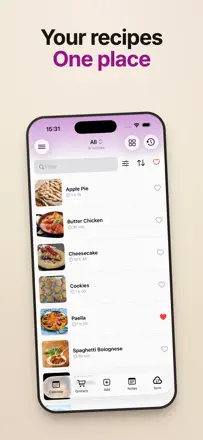
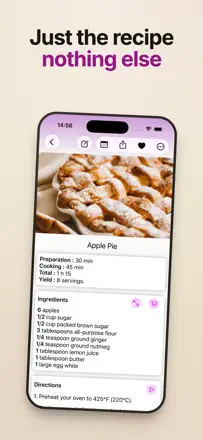
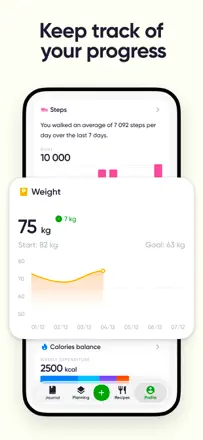
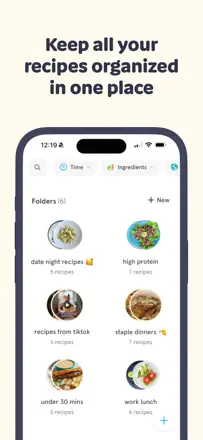
Where recipes save from the web and the shopping list builds itself, and where your collection just vanishes. The highest review-text scores: AnyList (82/100), NYT Cooking (78), and Umami (76).
Review score: 82 out of 100. App Store rating: 4.9★ · 78,878 ratings
82of 100
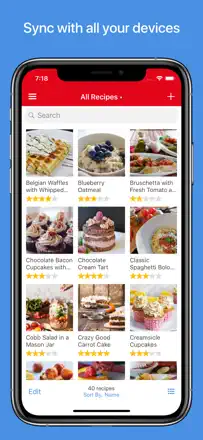
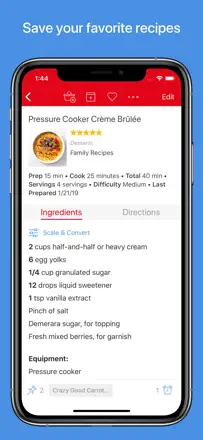
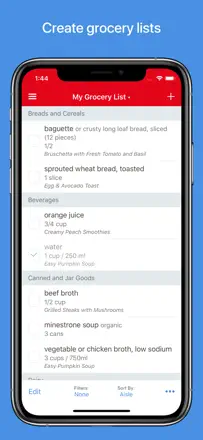
One of the best tools for grocery list management and recipe organization in the category. Family sync is reliable, URL recipe import works, and Apple Watch support is genuinely useful at the store. The missing pieces are store checkout integration and an open API for third-party developers.
Praised
Instant grocery list sync across all family members has worked reliably for years.
Complaints
No budget tracking inside the list and no open API for integrations.
Best for: Families and couples who maintain a shared grocery list and store recipes in one place
Review score: 78 out of 100. App Store rating: 4.9★ · 538,221 ratings
78of 100
An editorial recipe library from the New York Times with thousands of tested recipes and a strong community. The main complaint is that forced app updates cut off users on older devices, and search within saved recipes is clunky.
Praised
A vast and varied recipe base from professional culinary editors you can actually trust.
Complaints
Saved recipes cannot be organized into folders and are hard to find in a long, unstructured list.
Best for: People who want editorially vetted recipes rather than a planner or tracker
Review score: 76 out of 100. App Store rating: 4.8★ · 454 ratings
76of 100
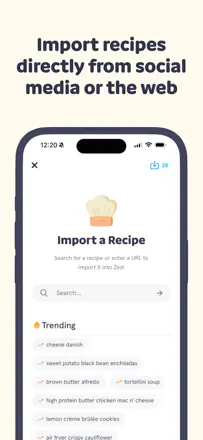
One of the best recipe managers with fast URL import and a convenient shopping list built from selected dishes. The weak spot is unstable import from Instagram and NYT, which frustrates active users on a regular basis.
Praised
URL-based recipe import works quickly and accurately; a shopping list is ready in seconds.
Complaints
Import from Instagram and some major publications breaks after platform updates.
Best for: People who collect recipes from the web and want one tidy place for them
Rank 4. Review score: 74 out of 100. App Store rating: 4.9★ · 52,989 ratings
74of 100
Paprika remains the best personal recipe archive: web import works as expected, there is a planner and shopping list, and data is well structured. The main pain in recent months is that the built-in browser has become unstable and stopped downloading recipes for some users.
Praised: Instant import of any recipe from the web, stripped of ads and filler text.
Complaints: The built-in browser periodically breaks and fails to load recipes, and the app has gone a long time without updates.
Best for: People who build a personal recipe collection from multiple sources
Rank 5. Review score: 74 out of 100. App Store rating: 4.8★ · 2,712 ratings
74of 100
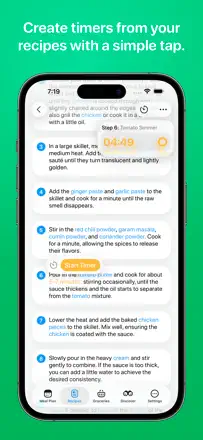
One of the best recipe managers on iOS: smart URL import, step-by-step cooking mode, family sharing, and a clean design. Recipe ratings and calendar integration are still missing, and bulk import from PDF is slow.
Praised: Importing a recipe from Instagram, a website, or a photo at a friend's kitchen takes a few seconds.
Complaints: No way to rate individual recipes, making it hard to find proven favorites in a large collection.
Best for: Passionate home cooks who want a single recipe organizer with family sharing
Rank 6. Review score: 72 out of 100. App Store rating: 4.9★ · 16,227 ratings
72of 100
America's Test Kitchen delivers meticulously developed recipes with video and notes — the strongest content in the category. The downsides are purely technical: the app occasionally fails to open, saved recipe sorting is absent, and there is no meal planner.
Praised: Recipes are tested repeatedly until the result is perfect, with video and user notes on every dish.
Complaints: No meal planner and no way to copy an ingredient list directly from a recipe.
Best for: Serious home cooks who care about recipe reliability above all else
Rank 7. Review score: 72 out of 100. App Store rating: 4.8★ · 8,120 ratings
72of 100
One of the best personal recipe organizers with photo import, OCR, and a simple day-by-day planner. A small rate of data loss and occasional AI extraction failures do not outweigh its overall reliability.
Praised: A photo of a cookbook or magazine page turns into a structured recipe with a title and ingredient list in seconds.
Complaints: AI import sometimes drops or substitutes ingredients, so the recipe needs a manual check before the first cook.
Best for: Anyone who wants to gather family recipes and web finds in one place
Rank 8. Review score: 72 out of 100. App Store rating: 4.9★ · 3,515 ratings
72of 100
One of the best tools for importing recipes from blogs and social media: X-ray mode strips out advertising noise and leaves only the recipe, and cooking mode keeps the screen on. Serving scaling was moved behind a paywall, which frustrates longtime users.
Praised: X-ray mode removes all blog text and leaves only ingredients and steps; the screen stays on while you cook.
Complaints: Serving scaling became a paid feature despite requiring no server-side processing.
Best for: Active home cooks who collect recipes from websites and social media
Rank 9. Review score: 72 out of 100. App Store rating: 4.7★ · 1,169 ratings
72of 100
One of the best tools for saving recipes from web pages in one click: it strips ads and filler text, supports tags, filters, and a menu planner. The main complaints are about the shift to a paid model rather than product problems.
Praised: Instant recipe saving from any website without copy-pasting or ad clutter.
Complaints: Recipes from Instagram, TikTok, and YouTube cannot be imported directly.
Best for: Active collectors of recipes from web pages and cooking blogs
Rank 10. Review score: 71 out of 100. App Store rating: 4.9★ · 1,686 ratings
71of 100
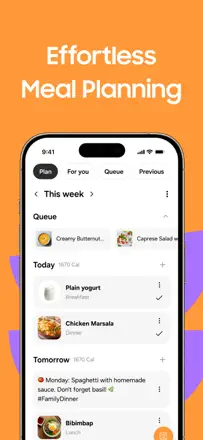
A minimal planner with no excess: enter dish names, assign them to days, share with a partner. A widget, automatic shopping list, and notifications are missing, but the core mechanic works reliably.
Praised: Simple weekly view, full meal history, and the ability to share the plan with a partner.
Complaints: The shopping list is not generated automatically from the plan, and there is no home screen widget.
Best for: People who want a simple weekly meal plan without recipes or extra complexity
Rank 11. Review score: 70 out of 100. App Store rating: 4.7★ · 1,738 ratings
70of 100
One of the best recipe managers for import quality and interface design. Family access and nested recipes set it apart from competitors, but the meal planner is weak.
Praised: Smart URL import, recipes nested inside each other, and a clean native interface.
Complaints: The meal planner has no breakfast, lunch, and dinner breakdown, which limits its practical use.
Best for: People who want to organize a recipe collection beautifully and add new ones easily
Rank 12. Review score: 68 out of 100. App Store rating: 4.8★ · 156,054 ratings
68of 100
A calorie and nutrition tracker with an extensive food database, recipe import, and smart device integration. It handles basic logging well and helps users reach weight goals, but the interface has slowed down and navigation between sections is unnecessarily tangled.
Praised: A huge food database and the ability to save custom meals make daily logging fast.
Complaints: Recipe import is awkward and poorly documented despite the claimed support.
Best for: People who want accurate macro tracking without extra subscriptions or gamification
Rank 13. Review score: 68 out of 100. App Store rating: 4.7★ · 839 ratings
68of 100
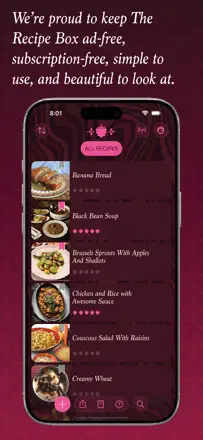
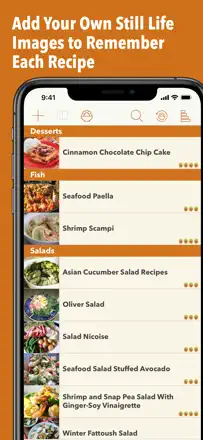
A beautiful native recipe collection app with excellent web import, a menu planner, and no subscription. The main issue is that the developer does not respond to support requests and has not updated the app in over a year, and recipe sharing between different iCloud accounts does not work.
Praised: One-time purchase with no subscription, a polished design, and reliable recipe import from websites.
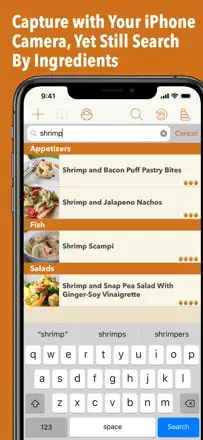
Complaints: Search requires scrolling all the way to the top of the list, which is frustrating with a collection of thousands of recipes.
Best for: Someone with a large personal recipe collection who values design and does not want a monthly fee
Rank 14. Review score: 66 out of 100. App Store rating: 4.8★ · 29,040 ratings
66of 100
Recipe Keeper handles manual entry, web import, and recipe scanning well, and includes a meal planner and shopping list generation. The main limitation is that family sharing requires separate purchases on every device and platform, which makes shared kitchen management inconvenient.
Praised: Fast recipe import via URL, page scanning, or manual entry into a single archive.
Complaints: No shared family access: each person must buy the app separately on every platform they use.
Best for: Home cooks who want to keep a personal recipe archive in one place
Rank 15. Review score: 66 out of 100. App Store rating: 4.7★ · 3,526 ratings
66of 100
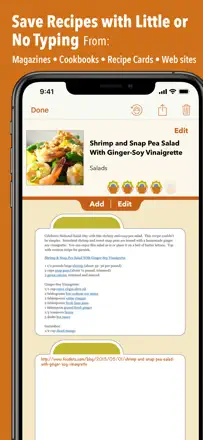
A mature recipe storage and organization tool with solid URL import and cross-device sync. Paper recipe scanning is inaccurate, and occasional data loss when switching phones undermines trust.
Praised: Years of accumulated recipes with URL import, accessible from phone, tablet, and laptop.
Complaints: Scanning and recognizing printed recipes works noticeably worse than in competing apps.
Best for: Home cooks with a large personal recipe archive who want to digitize and sync it
Rank 16. Review score: 66 out of 100. App Store rating: 4.8★ · 929 ratings
66of 100
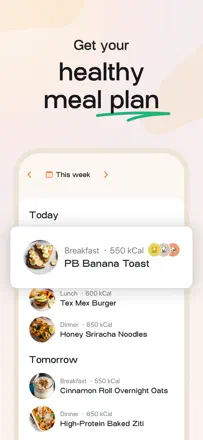
An AI meal planner that genuinely takes over weekly meal selection based on dietary constraints and automatically builds a shopping list. The list occasionally misses ingredients and the AI can be repetitive, but the concept works and saves time.
Praised: Automatic weekly meal plan tailored to family dietary needs plus a ready shopping list with no manual work.
Complaints: The shopping list sometimes drops ingredients, and old items are not cleared between weeks automatically.
Best for: A busy parent or anyone who does not have time to decide what to cook
Rank 17. Review score: 65 out of 100. App Store rating: 4.9★ · 15,640 ratings
65of 100
FitMenCook is a solid collection of fitness-oriented recipes with video and a shopping list. But the meal planner is poorly implemented, allergen filtering is absent, and some recipes depend on the brand's proprietary spice blends.
Praised: Recipes taste good and fit a fitness routine; new ones are added on a regular basis.
Complaints: No allergen filter and the meal planning feature is not in a working state.
Best for: People in an active training routine who want quick, satisfying recipes
Rank 18. Review score: 63 out of 100. App Store rating: 4.7★ · 11,065 ratings
63of 100
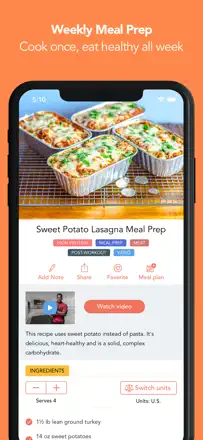
Works well at automatically planning a meal-prep week with a ready shopping list. Weak points include no pantry tracking, incomplete allergen filters, and macro adjustment within a narrow range only.
Praised: In 30 minutes on Sunday it produces a weekly batch-cooking plan with step-by-step video and a shopping list.
Complaints: No way to account for what is already at home, and you cannot add your own recipes to the plan.
Best for: Busy people who cook all their food for the week in one session
Rank 19. Review score: 63 out of 100. App Store rating: 4.8★ · 6,234 ratings
63of 100
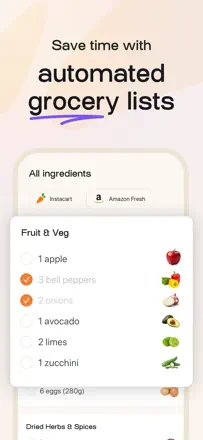
A strong tool for recipe storage and shopping list generation, but UX quality dropped noticeably after the Samsung acquisition. Import from third-party sites still works, while ingredient accuracy and sync have run into issues.
Praised: Automatic shopping list generation with ingredients sorted by type, ready to use in the store.
Complaints: Ingredient-based search does not rank recipes by how many pantry items they actually use up.
Best for: Home cooks who need to store recipes and build a shopping list quickly
Rank 20. Review score: 62 out of 100. App Store rating: 4.8★ · 247,437 ratings
62of 100
A recipe saving and organization app with URL import, serving scaling, and shopping list generation. Web import works well, but a free limit of 5 recipes cuts users off before they can properly evaluate the product.
Praised: One-tap URL recipe import and automatic shopping list with serving scaling.
Complaints: Search within your own collection is poor even after paying for a subscription.
Best for: People who want to build a personal culinary library from links and social media
Rank 21. Review score: 62 out of 100. App Store rating: 4.7★ · 21,981 ratings
62of 100
Eat This Much works well as an automatic meal plan generator with a shopping list and nutrient tracking. The main problem is that the recipe base gets repetitive and the vegetarian section is thin.
Praised: Auto-generated meal plan to match your goals, complete with a shopping list and Apple Health sync.
Complaints: The recipe library gets old fast; the same dishes rotate every week.
Best for: People who count macros and want to automate grocery shopping
Rank 22. Review score: 62 out of 100. App Store rating: 4.9★ · 3,177 ratings
62of 100
A great idea, but the recipe parser is becoming less reliable: roughly every second or third source fails to parse. Those who get lucky receive a clean recipe stripped of ads and pop-ups, which is genuinely useful at the stove.
Praised: Extracts the recipe from ad-heavy pages and leaves only the ingredients and instructions.
Complaints: Manual recipe entry is very inconvenient: ingredients cannot be pasted as a list, only added one by one.
Best for: People who cook from recipes on culinary websites and want to read them without ads
Rank 24. Review score: 60 out of 100. App Store rating: 4.8★ · 21,525 ratings
60of 100
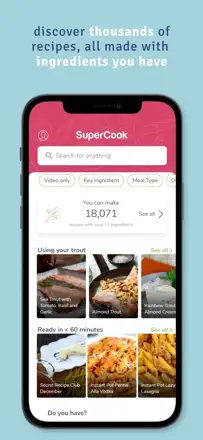
SuperCook solves a unique problem: it finds recipes based on what you already have at home. The concept works and is genuinely useful, but the app is technically unstable — recipes open to a white screen and favorites do not save.
Praised: Finds dishes from whatever is already in the fridge, saving time and reducing food waste.
Complaints: Ingredient-based search works, but opening a recipe often leads to a third-party site or hangs.
Best for: Anyone who wants to cook from what they have without extra shopping
Rank 25. Review score: 60 out of 100. App Store rating: 4.4★ · 2,451 ratings
60of 100
A solid keto base with recipes, a macro tracker, and a mood journal. Inflexibility with measurement units and gaps in the US food database reduce convenience.
Praised: A large keto recipe library with macros and a built-in daily tracker.
Complaints: Measurement units are rigid and minimum serving sizes cannot be adjusted to match real portion sizes.
Best for: People following keto or low-carb eating who want one place for recipes and tracking
Rank 26. Review score: 58 out of 100. App Store rating: 4.8★ · 53,536 ratings
58of 100
Mealime handles meal planning and automatic shopping lists well, but since late 2025 new recipes have stopped appearing and updates have nearly ceased. The app is losing its audience because of content stagnation, not a weak core mechanic.
Praised: A smart meal plan that assembles the shopping list without any extra effort; recipes are easy for beginners.
Complaints: The recipe catalog has not been updated in over six months, and you cannot search your own recipes by name inside the planner.
Best for: Families who want to cook to a plan without the hassle
Rank 27. Review score: 58 out of 100. App Store rating: 4.7★ · 11,173 ratings
58of 100
A strong concept — scanning a receipt and cooking from what is already in the pantry. But store sync is unstable and social media import breaks periodically.
Praised: Scanning a paper receipt fills the pantry in seconds and immediately suggests recipes from what you have at home.
Complaints: Store connections drop on their own and do not reconnect for months without manual intervention.
Best for: Families who want to cook from pantry stock
Rank 28. Review score: 58 out of 100. App Store rating: 4.8★ · 674 ratings
58of 100
The only genuinely free app in the category with a social angle: save recipes from the web, build a shopping list, and discover new dishes. Ads in the free version interrupt the cooking workflow, and the app crashes occasionally.
Praised: Free with no hidden subscription, and it combines recipes from multiple sources into one shopping list.
Complaints: Aggressive ads cover the interface and make it hard to follow recipe steps.
Best for: Anyone who wants a free recipe planner with a social feed and no subscription
Rank 29. Review score: 58 out of 100. App Store rating: 4.7★ · 396 ratings
58of 100
A high-quality paleo recipe collection with beautiful photos, dynamic serving recalculation, and an automatic shopping list sorted by store aisle. Prep times in recipes are often understated, and some recipes are not strictly paleo.
Praised: The ingredient list recalculates instantly when you change the serving count.
Complaints: No nutritional info or macro profile for recipes, which matters on a paleo diet.
Best for: People following paleo who want inspiration for new dishes
Rank 30. Review score: 56 out of 100. App Store rating: 4.8★ · 22,791 ratings
56of 100
Kitchen Stories was a strong editorial app with video recipes, but after a series of updates the videos disappeared, saved recipes break, and users are pushed toward a paid upgrade. The content is good, but the product is degrading.
Praised: Varied and inventive recipes with polished presentation; the cooking mode is easy to use.
Complaints: Saved recipes can become locked after an update without warning; video instructions have disappeared.
Best for: Culinary enthusiasts willing to tolerate instability
Rank 31. Review score: 56 out of 100. App Store rating: 4.7★ · 1,431 ratings
56of 100
The best tool for saving recipes from social media: Instagram, TikTok, and Facebook posts are parsed into structured recipes. However, the app goes down periodically and family sharing requires a separate subscription.
Praised: Flawless saving of recipes from social media videos and posts with automatic ingredient parsing.
Complaints: Family use is not accommodated: a second person must pay a separate subscription.
Best for: People who actively save recipes from TikTok and Instagram and want quick access to them
Rank 32. Review score: 56 out of 100. App Store rating: 4.8★ · 1,229 ratings
56of 100
A visually appealing meal planner with straightforward dish entry and a convenient shopping list. The main gap: ingredients are not automatically transferred to the list when a recipe is added to the calendar, and planning multiple weeks costs money.
Praised: Beautiful design and simple dish entry make using the app a daily habit.
Complaints: Collaborative plan editing is not available for families — only view access via a shared link.
Best for: Someone who wants to plan meals visually without complexity
Rank 33. Review score: 55 out of 100. App Store rating: 4.9★ · 432,467 ratings
55of 100
Video recipes focused on simplicity and visual appeal from BuzzFeed. The strong point is that the video format lowers the barrier to cooking, but cross-device sync does not work, dietary filters ignore allergens, and sessions do not persist between launches.
Praised: Video instructions make even unfamiliar dishes approachable and take the fear out of the kitchen.
Complaints: Dietary filters do not actually work: the app continues showing recipes that contain specified allergens.
Best for: Cooking beginners who need video format instead of written instructions
Rank 34. Review score: 55 out of 100. App Store rating: 4.8★ · 2,484 ratings
55of 100
Before version 3.0 it was one of the best recipe managers, but the redesign broke familiar workflows and introduced instability. Social media import is still convenient; everything else has degraded.
Praised: URL import and Instagram recipe saving work instantly and accurately.
Complaints: After the major update, navigation became more confusing and the shopping list is unreliable.
Best for: People who frequently save recipes from the web and can tolerate instability
Rank 35. Review score: 54 out of 100. App Store rating: 4.7★ · 6,772 ratings
54of 100
A clean meal-reminder timer for people who forget to eat. It does one thing well, but Apple Watch notifications do not work properly and stability drops after updates.
Praised: Simplicity and flexible meal scheduling without calorie counting or diet culture.
Complaints: Notifications do not reach the watch and do not let you log a meal without opening the app.
Best for: People with a suppressed appetite or a packed schedule who forget to eat
Rank 36. Review score: 52 out of 100. App Store rating: 4.6★ · 52,032 ratings
52of 100
eMeals conveniently connects a meal plan to online grocery ordering, but the shopping list often duplicates ingredients, recipes are criticized for lacking seasoning and variety, and the app is rough on tablet. It pushes Walmart at every launch.
Praised: One tap sends the shopping list directly to a partner store cart.
Complaints: The shopping list duplicates ingredients; recipes taste flat without extra seasoning.
Best for: Busy families who want to cook on a schedule and order groceries online
Rank 37. Review score: 52 out of 100. App Store rating: 4.7★ · 1,649 ratings
52of 100
A good recipe library with a step-by-step cooking mode, but clipboard import is unstable, search returns irrelevant results, and a heavy Walmart tie-in frustrates part of the audience.
Praised: Step-by-step cooking mode with an image at each step and a large curated recipe base.
Complaints: Search fails to find obvious dishes, and URL recipe import breaks without explanation.
Best for: People who want to cook from structured recipes with visual cues
Rank 38. Review score: 52 out of 100. App Store rating: 4.6★ · 573 ratings
52of 100
A simple planner with fast recipe import and a basic shopping list, but cross-device sync fails and recipes sometimes disappear from the dropdown. It works for those who need the bare minimum.
Praised: Quickly generates a shopping list from planned dishes and is easy to share with a partner.
Complaints: The shopping list cannot be checked off item by item while walking through the store.
Best for: Couples who plan meals for the week together
Rank 39. Review score: 51 out of 100. App Store rating: 4.8★ · 8,158 ratings
51of 100
A convenient personal recipe organizer with social media import and a link back to the original video, but there is no weekly planner, Instagram and Facebook import often freezes, and app stability declined after recent updates.
Praised: Saves video recipes together with a working link to the original rather than just the text.
Complaints: No built-in weekly meal planner, even though users explicitly request exactly that feature.
Best for: Cooking enthusiasts who collect recipes from social media
Rank 40. Review score: 48 out of 100. App Store rating: 4.7★ · 82,058 ratings
48of 100
A combined app for short workouts and meal planning. The meal planner and ready menus have delivered real results for long-term users, but the app is frozen in development: Google sign-in is broken, Apple Health integration is absent, and no new recipes are added.
Praised: Ready weekly menus with simple recipes and short workouts complement each other naturally inside one app.
Complaints: The app has not evolved in years: Google login does not work and there is no Apple Health sync.
Best for: People who want to combine short home workouts with a ready meal plan
Rank 41. Review score: 48 out of 100. App Store rating: 4.9★ · 15,429 ratings
48of 100
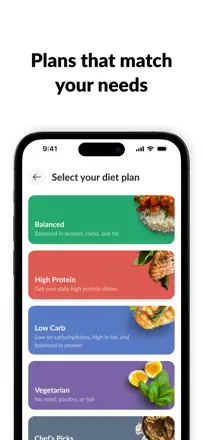
Fitia works as a calorie tracker with automatic meal plan generation and the core product functions. But the barcode scanner is unreliable, macros in saved recipes change on their own, and AI food recognition needs improvement.
Praised: Automatically builds a meal plan based on available foods and body composition goals.
Complaints: Saved recipes change their calorie and macro values without reason; the scanner is unreliable.
Best for: Spanish-speaking users tracking their diet and weight
Rank 42. Review score: 46 out of 100. App Store rating: 4.4★ · 7,302 ratings
46of 100
A large global community and simple recipe publishing, but search is limited to one language and region, browsing without a subscription is awkward, and useful navigation features were removed in recent updates.
Praised: Sharing your own recipe with an international community and getting comments from cooks in other countries.
Complaints: The app blocks access to recipes from other countries and languages, even though the website has no such restrictions.
Best for: Cooking enthusiasts who want to share recipes with a global community
Rank 43. Review score: 46 out of 100. App Store rating: 4.7★ · 329 ratings
46of 100
A beautiful and intuitive recipe manager with import from browser, screenshots, and cookbook photos. After an update, basic features like categories ended up behind a paywall, and some users lost recipes with no way to restore them.
Praised: Import works from many sources: browser, Facebook, screenshots, and book photos.
Complaints: Cooking mode does not let you adjust the text size while actively cooking.
Best for: People who want to transfer family recipes from paper to their phone
Rank 44. Review score: 45 out of 100. App Store rating: 4.8★ · 32,761 ratings
45of 100
Home Chef earns praise for meal quality and variety, but the app itself is unstable: it freezes at launch, loses selected items when editing an order, and recipes from physical cards cannot be accessed through the app. Choosing meals for the week involves friction.
Praised: A complete ingredient kit with clear recipes lets you cook new dishes without a special trip for spices.
Complaints: The app freezes at launch and does not save order changes; recipe cards from the box are inaccessible through it.
Best for: Busy households who need to cook quickly without planning their own grocery run
Rank 45. Review score: 45 out of 100. App Store rating: 4.8★ · 914 ratings
45of 100
A simple recipe store with web import and automatic ingredient suggestions, but with no cross-Apple-device sync. After recent updates, users encountered intrusive ads overlaying the interface even in the paid version.
Praised: Fast recipe import from a website and automatic ingredient assembly for the shopping list.
Complaints: No account login or cloud sync, so recipes are not accessible across different devices.
Best for: A single iPhone user who needs a simple personal recipe store
Rank 46. Review score: 44 out of 100. App Store rating: 4.8★ · 87,706 ratings
44of 100
A nutrition tracker with a meal planner and Apple Health integration. Long-term users appreciate its simplicity, but a recent update removed gram-based logging, alienating anyone who tracks macros precisely and breaking the core workflow.
Praised: Apple Health sync and a clean interface with no unnecessary steps work well for daily tracking.
Complaints: After the latest update, quantities can only be entered in vague portions rather than grams, making tracking imprecise.
Best for: People just starting to monitor their diet who do not need detailed weight-based tracking
Rank 47. Review score: 44 out of 100. App Store rating: 4.7★ · 41,625 ratings
44of 100
Blue Apron as a service delivers interesting recipes and good ingredient quality, but the app became less convenient after a redesign: current week recipes are harder to find, the planning horizon shrunk to two weeks, and step-by-step instructions during cooking got worse. Users rate the service higher than the app.
Praised: Recipe cards with step-by-step instructions help you master new dishes without searching for recipes.
Complaints: After the redesign it is hard to find this week's recipes and switch between upcoming deliveries in advance.
Best for: Experienced home cooks who value variety in their meal kit delivery
Rank 48. Review score: 44 out of 100. App Store rating: 4.7★ · 13,932 ratings
44of 100
BigOven has built a large recipe base over the years, but the app is now crumbling from within: cooking instructions are buried behind ads, recipe folders sort in a random order, and family sharing does not work properly.
Praised: A huge recipe base and the ability to maintain a personal collection with folders over many years.
Complaints: Ads cover instructions right in the middle of cooking; folders sort in a random order.
Best for: Users with a large accumulated collection who have nowhere else to go
Rank 49. Review score: 44 out of 100. App Store rating: 4.4★ · 11,811 ratings
44of 100
A specialized macro and meal-timing coach for athletes, not a general recipe planner. After a redesign, navigation became so complex that even loyal users gave up on daily tracking.
Praised: A clear RP-method nutrition structure with automatic macro adjustment for training days.
Complaints: After the redesign the interface is overwhelming: hidden features, logged data loss, and no way to quickly log a meal.
Best for: Athletes following RP periodized nutrition
Rank 50. Review score: 44 out of 100. App Store rating: 4.7★ · 3,670 ratings
44of 100
Social media video recipe import works when it works, but it is unstable. Free-tier limits feel like a wall, and accounts with hundreds of recipes disappear after updates.
Praised: Saving recipes directly from TikTok and Instagram with automatic ingredient extraction.
Complaints: Serving scaling is complicated and changing the number of guests requires too many steps.
Best for: Fans of culinary social content who want to collect recipes in one place
Rank 51. Review score: 44 out of 100. App Store rating: 4.5★ · 1,081 ratings
44of 100
A convenient local recipe store with 15 years of history, but sync between iPhone and iPad has been broken for a long time, and an iOS 26 update wiped data for some users. Recipe entry and viewing work well as long as the data is still there.
Praised: Simple and fast entry of your own recipes with everything stored in one place.
Complaints: Transferring recipes between devices via Bluetooth or local network is unreliable and often fails entirely.
Best for: Someone who prefers to keep personal recipes on a single device without cloud storage
Rank 52. Review score: 44 out of 100. App Store rating: 4.5★ · 343 ratings
44of 100
The core idea is good: save a TikTok or Instagram link and get a step-by-step recipe with a shopping list. In practice, import freezes or fails every other attempt, and some users lost all their data after an update.
Praised: The only app that can parse recipes from TikTok and Instagram videos without manual entry.
Complaints: No categories or folders for recipes; everything piles into one unorganized list.
Best for: People who collect recipes from short-form video
Rank 53. Review score: 42 out of 100. App Store rating: 4.9★ · 12,303 ratings
42of 100
Oh She Glows offers quality vegan recipes with beautiful photos, but the app has not been updated in a long time, the content is frozen, and it is technically unstable — recipes sometimes fail to load at all.
Praised: The recipes taste good even for non-vegans; the presentation is attractive and navigation is simple.
Complaints: No shopping list, no planner, and content has not been updated in over a year.
Best for: Vegans familiar with the blog who want the recipes available offline
Rank 54. Review score: 42 out of 100. App Store rating: 4.8★ · 11,112 ratings
42of 100
A simple recipe organizer with convenient browser and camera saving, but a widespread problem with loading recipes from iCloud makes the app unreliable for daily kitchen use.
Praised: One-tap import from any website and OCR of cookbook pages directly from the camera.
Complaints: iCloud recipes stop opening and the app must be relaunched multiple times in the middle of cooking.
Best for: People who want to store a recipe collection from multiple sources
Rank 55. Review score: 42 out of 100. App Store rating: 4.7★ · 1,648 ratings
42of 100
This is a ready meal delivery service with a companion app, not a recipe planner. Reviews are primarily about logistics and food quality rather than planning features. The companion app is unstable.
Praised: Fast delivery of ready healthy meals with a personalized diet option.
Complaints: The menu repeats too often and variety does not match what is advertised.
Best for: Residents of UAE and Qatar ordering ready diet meals with delivery
Rank 56. Review score: 42 out of 100. App Store rating: 4.3★ · 1,261 ratings
42of 100
A veteran meal planner with a long history that is now running without support: printing crashes the app, barcode scanning finds nothing, and cross-device sync is unreliable. The core manual meal planning works, but everything around it is falling apart.
Praised: Flexible manual meal planning with grocery budgeting and custom categories.
Complaints: Recipe import from websites is broken, and an unmaintained app is gradually losing iOS compatibility.
Best for: A longtime fan of the app who has nowhere else to go
Rank 57. Review score: 41 out of 100. App Store rating: 4.8★ · 7,121 ratings
41of 100
Content from real professional chefs at a high level, but search and tags are poorly implemented, video lessons cannot be saved with progress, and the app becomes very slow after extended use.
Praised: Techniques and recipes from working chefs that you cannot find on mainstream cooking platforms.
Complaints: Search and tags work erratically: there is no way to filter free content from paid or find recipes by technique.
Best for: Professional chefs and culinary school students
Rank 58. Review score: 38 out of 100. App Store rating: 4.7★ · 867,309 ratings
38of 100
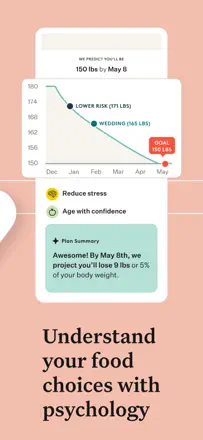
A weight-loss app with coaching and nutrition tracking that is only tangentially related to recipes and meal planning. The bulk of reviews document constant loading failures, intrusive gamification with virtual seeds, and a bloated interface after updates.
Praised: When it works without crashes, it genuinely helps with weight loss through a psychological approach and calorie tracking.
Complaints: The interface is overloaded with animations and game mechanics that get in the way of quickly logging a meal.
Best for: People who want structured weight-loss coaching, not just recipes
Rank 59. Review score: 38 out of 100. App Store rating: 4.7★ · 31,146 ratings
38of 100
CHEF iQ is aimed at controlling a smart thermometer and connected devices, not meal planning. Recipes in the app are tied to the hardware and cover a narrow range of scenarios. After a redesign the interface got worse and device connection is unstable.
Praised: Precise temperature control with flip prompts makes grilling predictable.
Complaints: After the update the interface became more complex; recipes are limited to compatible equipment and do not cover regular cooking.
Best for: Owners of CHEF iQ smart thermometers who need cooking temperature control
Rank 60. Review score: 38 out of 100. App Store rating: 4.7★ · 13,807 ratings
38of 100
RecipeBox worked well as a personal recipe archive with web import, but after monetization the product degraded: intrusive Walmart ads appear on every screen transition, and import now saves only a link instead of the actual content.
Praised: One-click recipe import from the web and convenient manual organization by category.
Complaints: Import increasingly saves only a link rather than the recipe itself, making the collection dependent on third-party sites.
Best for: Anyone who wants to store recipes in one place without planning features
Rank 61. Review score: 38 out of 100. App Store rating: 4.7★ · 7,949 ratings
38of 100
Good, varied recipes every week, but this is a companion app to a physical delivery service where the real problems are spoiled ingredients and incomplete boxes. The iPad app does not rotate to landscape.
Praised: The weekly recipe rotation genuinely does not repeat, which even critical users appreciate.
Complaints: The step-by-step cooking mode breaks periodically, and the iPad app only works in portrait orientation.
Best for: Marley Spoon subscribers who need a digital recipe card
Rank 62. Review score: 38 out of 100. App Store rating: 4.7★ · 6,157 ratings
38of 100
The app as a meal kit interface is reasonably convenient, but the Start Cooking button stopped working after an update, making step-by-step mode inaccessible. The core product experience issue lies outside the app: wrong and spoiled ingredients in the box.
Praised: A wide selection of vegetarian and family recipes with clear step-by-step instructions.
Complaints: The Start Cooking button stopped working after an update; step-by-step mode is unavailable.
Best for: Busy families who need a ready ingredient kit with simple recipes
Rank 63. Review score: 38 out of 100. App Store rating: 4.6★ · 2,163 ratings
38of 100
Automatic meal planning that works for Whole30 and AIP, but the app runs slowly, allergen filters are unreliable, and the algorithm generates repetitive menus without enough variety.
Praised: Automatically assembles a plan and grocery list for the chosen dietary protocol.
Complaints: The algorithm cycles through the same recipes repeatedly; menu variety is extremely limited.
Best for: People doing Whole30 or AIP who want a ready plan without choosing meals themselves
Rank 64. Review score: 38 out of 100. App Store rating: 4.4★ · 1,405 ratings
38of 100
The app offers a simple daily meal plan without frills, but that is where the positives end. There are no macros, the meal-swap filter does not work by meal type, and the shopping list deletes unchecked items.
Praised: A clear daily meal schedule with no extra screens or decisions required.
Complaints: No diet customization: you cannot swap a dish by meal type or save a recipe you like without adding it to the plan.
Best for: A beginner to Mediterranean eating who needs the simplest possible starting point
Rank 65. Review score: 34 out of 100. App Store rating: 4.7★ · 24,028 ratings
34of 100
Green Chef is a meal kit delivery service, not a recipe app. The app itself is basic, and the key user pain points are navigation through the menu and the absence of a favorites filter.
Praised: Recipes are clear and quick to follow; the food is good according to users who actually got to the kitchen.
Complaints: No persistent diet filter; there is no normal way to find a liked dish again later.
Best for: Green Chef service customers, not for independent meal planning
Rank 66. Review score: 32 out of 100. App Store rating: 4.7★ · 219,296 ratings
32of 100
A companion app to a meal kit delivery service. The culinary content itself is good, but the app chronically fails: it does not save meal selections, sends random menus, ignores allergens, and crashes regularly after updates.
Praised: Step-by-step instructions help you cook dishes that used to feel too difficult.
Complaints: Weekly meal selections are not saved and the app sends random menus instead of the ones you chose.
Best for: HelloFresh subscribers who need to manage their orders, not people looking for recipes
Rank 67. Review score: 30 out of 100. App Store rating: 4.7★ · 48,806 ratings
30of 100
HitMeal presents itself as a calorie tracker rather than a recipe planner: the barcode scanner is unreliable, there is no cross-device sync, and meal planning features are minimal. As a recipe and meal planning tool it is weaker than competitors.
Praised: A simple interface for starting out with calorie and macro tracking with no learning curve.
Complaints: The barcode scanner is unreliable; data does not sync between phone and tablet.
Best for: Calorie-counting beginners who do not need a full meal planner
Rank 68. Review score: 28 out of 100. App Store rating: 4.7★ · 99,223 ratings
28of 100
A recipe library from Condé Nast with content from Bon Appétit and other publications. The recipes are good quality, but the app regularly freezes at launch, fails to open for a large share of users, dietary filters do not work, and saved recipe organization is entirely absent.
Praised: High-quality editorial content from Bon Appétit with useful user comments beneath each recipe.
Complaints: No folders or search within saved recipes — a long flat list with no structure is unusable.
Best for: Condé Nast subscribers who want access to Bon Appétit content
Rank 69. Review score: 28 out of 100. App Store rating: 4.7★ · 29,349 ratings
28of 100
The app offers a keto recipe collection, but saved favorites do not persist between sessions, the interface is unstable, and a full meal planner is effectively absent. Technical problems substantially undercut the value of the content.
Praised: A wide selection of keto recipes with clear instructions that helps beginners get started on the diet.
Complaints: Saved recipes reset after closing the app; the meal planning feature is almost completely absent.
Best for: People just starting keto who need ready recipes to get going
Rank 70. Review score: 28 out of 100. App Store rating: 4.7★ · 1,921 ratings
28of 100
Meal plans without detailed recipes and with questionable dish compositions; functionality is limited. A significant share of five-star reviews was obtained through incentivization.
Praised: Simple onboarding with personalization to your goal and lifestyle.
Complaints: Meal plans without step-by-step recipes or proper proportions; date navigation is awkward.
Best for: Practically no one who actually wants to cook to a plan
Rank 71. Review score: 25 out of 100. App Store rating: 4.4★ · 25,572 ratings
25of 100
Anova Culinary functions as sous vide device control; the recipe and guide section became unstable after recent updates. For most users the Guides section crashes on every open, and reconnecting the device is required every session.
Praised: Remote start and temperature monitoring for sous vide via the phone works accurately with a stable connection.
Complaints: The guides and recipes section crashes on every open; device reconnection is required at every session.
Best for: Anova circulator owners who need temperature control without recipe planning
Rank 72. Review score: 22 out of 100. App Store rating: 4.6★ · 10,021 ratings
22of 100
The app blocks access to its own recipes with a long, unskippable onboarding sequence, and most positive reviews are empty. Recipes are decent in concept but do not scale to a real number of servings.
Praised: A visually clean interface and a reasonable selection of quick recipes for those who actually reach the content.
Complaints: Recipes do not show a serving count and cannot be scaled, so there is no way to adapt them to a real number of people.
Best for: Hard to recommend to anyone in the current state
Rank 73. Review score: 22 out of 100. App Store rating: 4.0★ · 3,013 ratings
22of 100
A slow cooker recipe collection with an extremely unreliable access system: users pay for premium and cannot open the recipes. There is no meaningful meal planning or shopping list functionality.
Praised: Some slow cooker recipes are practical and work for busy parents.
Complaints: Category navigation loses your position in the list and randomly jumps to a different part of the catalog.
Best for: Slow cooker owners who need a basic recipe set without extra features
Rank 74. Review score: 22 out of 100. App Store rating: 4.8★ · 766 ratings
22of 100
The app regularly loses all saved recipes after updates or re-login, and import is unreliable and often drops partway through to system settings. The product is too raw and unreliable to serve as a recipe store.
Praised: The idea of importing recipes directly from Instagram and TikTok via the share sheet is appealing.
Complaints: Recipes disappear after an app update or plan change; there is no backup option.
Rank 75. Review score: 18 out of 100. App Store rating: 4.3★ · 6,912 ratings
18of 100
The app offers a limited recipe set and does not allow adding your own dishes. There is almost no product value; users cannot properly plan meals or maintain their own diet.
Praised: A few ready recipes look appealing and prompt users to start thinking about healthy eating.
Complaints: You cannot add your own dish to the plan; only recipes from the app's built-in library are allowed.
Best for: Beginners who need ready meal ideas without any flexibility
Rank 76. Review score: 8 out of 100. App Store rating: 4.5★ · 477 ratings
8of 100
The app does not open for most users, support is silent, and the recipes do not follow the spirit of Whole30. There is almost no functional meal planning here.
Praised: A few users note tasty and simple recipes when the app actually works.
Complaints: No way to add sides or accompaniments to dishes; recipes do not combine into a complete meal.
Best for: Not recommended to anyone in the current state
Rank 77. Review score: 3 out of 100. App Store rating: 2.5★ · 412 ratings
3of 100
The app impersonates the well-known Allrecipes website, charges money, and does not open any recipes. Actual Allrecipes representatives publicly confirmed they have no connection to this app.
Praised: Users who got a refund through Apple at least managed to resolve the issue through store support.
Complaints: Recipe search does not work at all; there is almost no content inside.
Best for: No one
About scores
Two scores — two sources
They help compare apps, but they don’t replace checking your own job.
Review score · up to 100
The stored score from inApp research on review texts. It rates the app overall in the archive, not the reliability of any one feature.
Store rating · up to 5
The rating from the app’s page when the data was collected. The current rating and version may differ.
In the archived sample for this topic: 77 apps and 22,822 reviews read. That is the total size of the research, not the number of reviews per app.
A gap between the scores doesn’t prove manipulation. The calculation date and the full scoring method aren’t in the mobile archive. Compare the job descriptions and the source quotes, and check the terms in the current version.