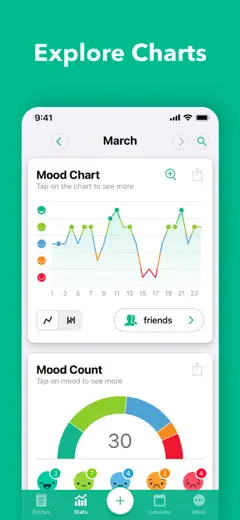
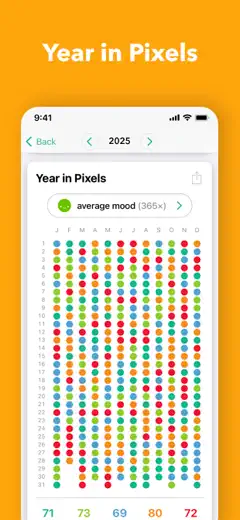
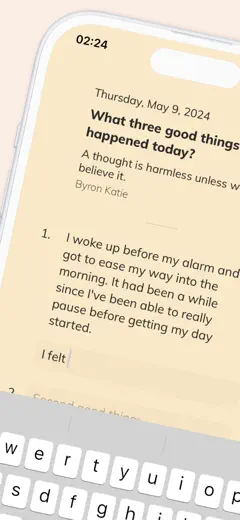
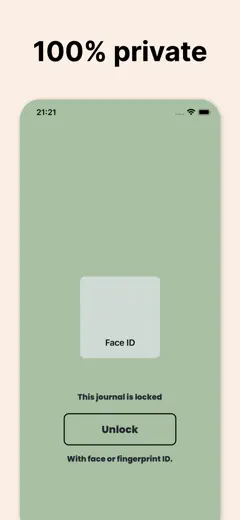
Note des avis : 78 sur 100. Note sur l’App Store : 4,9★ · 28 563 notes
78sur 100
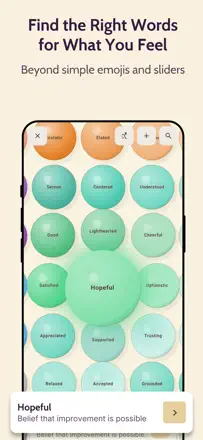
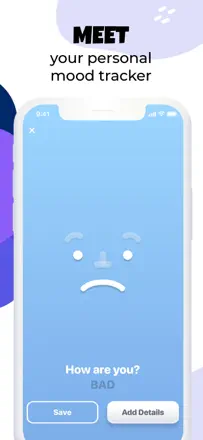
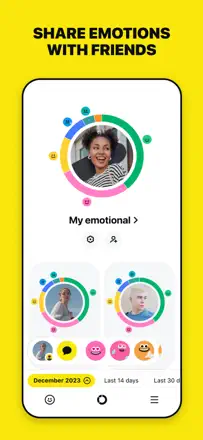
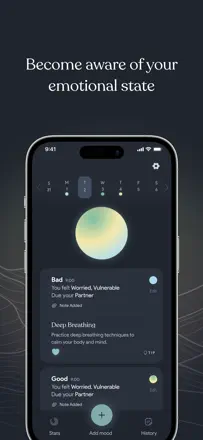
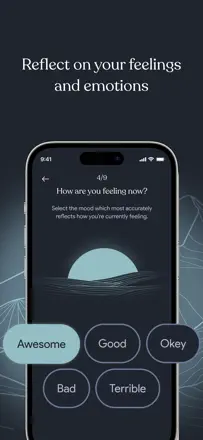
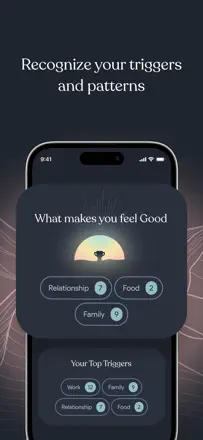
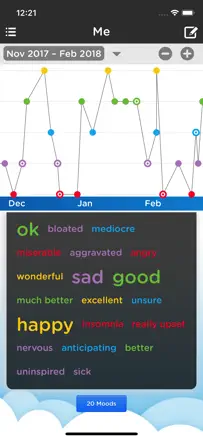
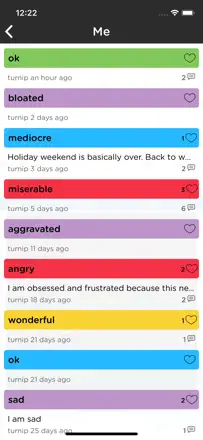
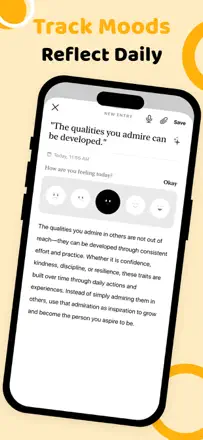
A rich emotion vocabulary with a two-axis scale genuinely helps people name what they are feeling. The free, no-subscription model sets it apart, and therapists actively recommend it to their clients.
Points forts
A detailed emotion map split by energy and valence lets you describe your state with real precision.
Reproches
The friend-sharing and sync features are unreliable, and that is the app's core social function.
Pour qui : Those who want to understand their emotions better without paying a subscription
Note des avis : 74 sur 100. Note sur l’App Store : 4,8★ · 60 306 notes
74sur 100
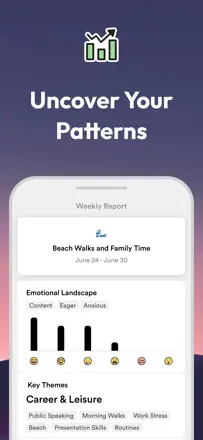
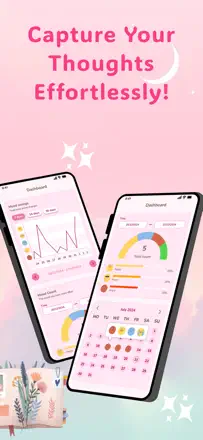
Daylio is the best icon-based mood tracker in its category: pick activity icons and a mood level, get clear analytics over months. The downside is that after an ownership change, promotional clutter appeared in the interface and some users lost voice recordings.
Points forts
Fully customizable activity and mood icons plus retrospective charts let you spot life patterns you would never notice otherwise.
Reproches
Since the company was sold, the app has pushed intrusive promotional content, and some users permanently lost voice recordings with no way to recover them.
Pour qui : Those who find writing difficult but want to see patterns in their mood and activities
Note des avis : 74 sur 100. Note sur l’App Store : 4,9★ · 1 661 notes
74sur 100
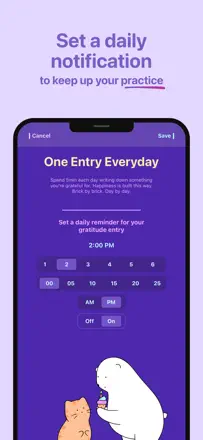
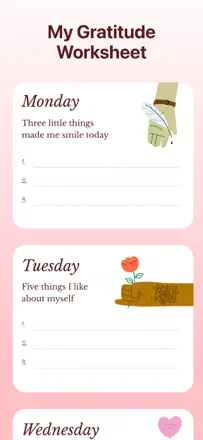
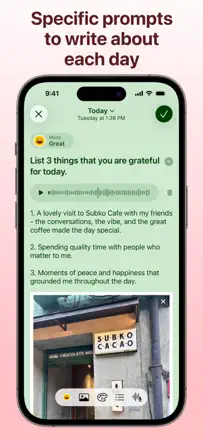
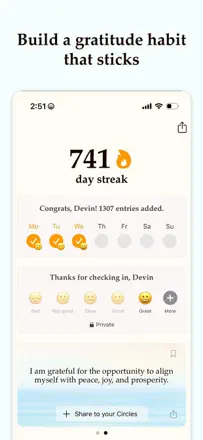
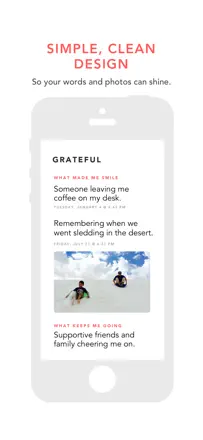
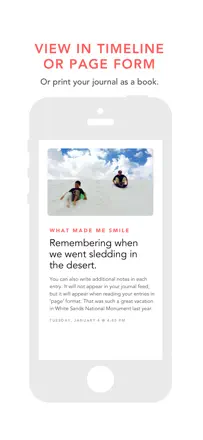
A lean gratitude journal with a well-calibrated structure: three items a day, a daily quote, and a PDF summary for any period. Reminders occasionally fail and the PDF export is sometimes incomplete.
Points forts
The three-point format is small enough to do every evening and specific enough to actually work.
Reproches
No streak counter and no way to jump back to a past entry without scrolling through a long list.
Pour qui : Those who want to build positive thinking habits without much effort
Rang 4. Note des avis : 73 sur 100. Note sur l’App Store : 4,8★ · 4 176 notes
73sur 100
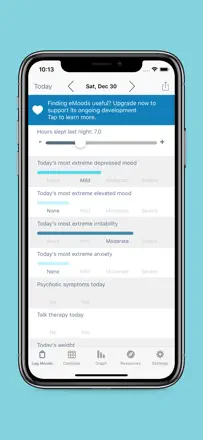
eMoods is built specifically for people with bipolar disorder: it tracks episodes, medications, sleep, and mood in a single daily report that is easy to show a psychiatrist. The interface is neutral and does not overwhelm on bad days. The weak points are unreliable cross-device sync and an export that requires technical know-how.
Points forts : A specialized psychiatrist report that shows weeks and months at a glance.
Reproches : Only four severity levels (none, mild, moderate, severe) which is not enough to describe the full range of states accurately.
Pour qui : People with bipolar disorder who work with a psychiatrist
Rang 5. Note des avis : 72 sur 100. Note sur l’App Store : 4,8★ · 117 024 notes
72sur 100
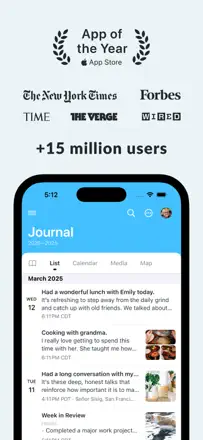
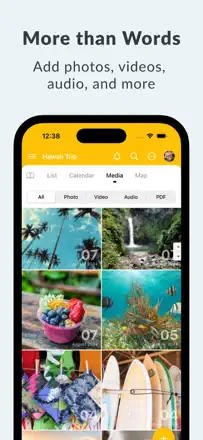
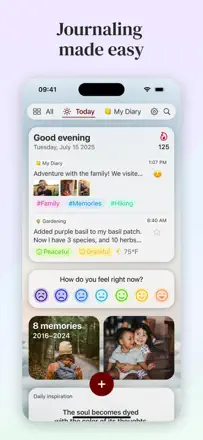
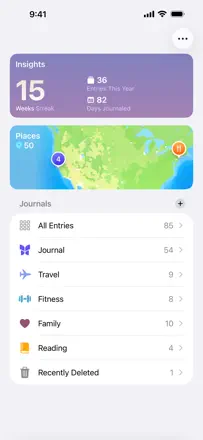
Day One is the most mature journal in its category: multiple journals, search across years of entries, reliable export, rich formatting, and photos. The product is not declining technically but in trust. Aggressive monetization of AI features in the Gold tier and persistent upgrade prompts frustrate loyal paying users.
Points forts : Search across the entire entry history with attached photos going back 8-plus years works flawlessly and turns the journal into a personal knowledge base.
Reproches : Constant pop-ups pushing the Gold upgrade annoy even Silver subscribers and destroy the feeling of a private space.
Pour qui : Serious journalers and people who have kept a diary for years and value reliable export
Rang 6. Note des avis : 72 sur 100. Note sur l’App Store : 4,8★ · 6 907 notes
72sur 100
Prompted Journal wins on prompt variety and the absence of ads: users come back because every day brings a fresh question, not the same "what are you grateful for." The weak spots are technical issues when editing past entries and a limited number of free prompts.
Points forts : A library of 200 preset questions with the option to add your own eliminates the "I don't know what to write about" block even for people who dislike journaling.
Reproches : When the free prompts run out, the flow stops abruptly, and without new questions the app loses its main value.
Pour qui : Those who want a reflection practice but need an external question as a starting point
Rang 7. Note des avis : 72 sur 100. Note sur l’App Store : 4,9★ · 2 058 notes
72sur 100
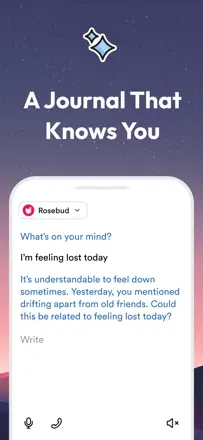
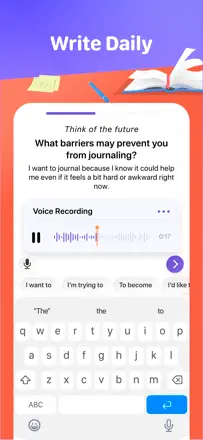
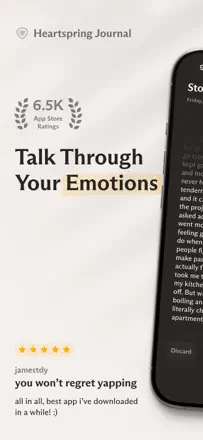
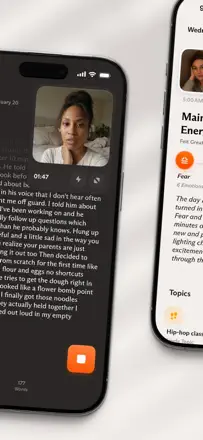
A voice journal with surprisingly deep AI analysis: people note gaining insights about themselves faster than they did in years of therapy. Transcription occasionally freezes and notifications can duplicate.
Points forts : The AI detects behavioral patterns in voice recordings and asks precise follow-up questions.
Reproches : Audio transcription sometimes stalls for several days, breaking the journaling rhythm.
Pour qui : Those who find it easier to speak than to write and want to better understand themselves
Rang 8. Note des avis : 72 sur 100. Note sur l’App Store : 4,8★ · 908 notes
72sur 100
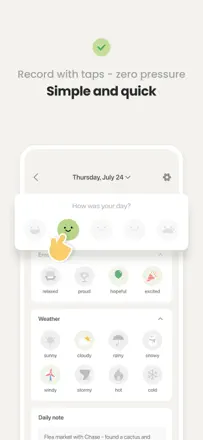
Moodistory keeps users coming back for years through its simple check-in, color mood scale, and the ability to attach photos to memories. The limitation is not the product itself but a fairly narrow emotion palette that does not capture nuanced states.
Points forts : A color mood ribbon with photos turns the past year into a tangible emotional history.
Reproches : The available emotions are limited and do not cover complex states like anxiety or mixed feelings.
Pour qui : Those who want a simple visual picture of their mood month by month
Rang 9. Note des avis : 72 sur 100. Note sur l’App Store : 4,9★ · 820 notes
72sur 100
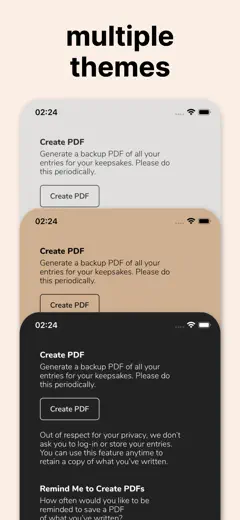
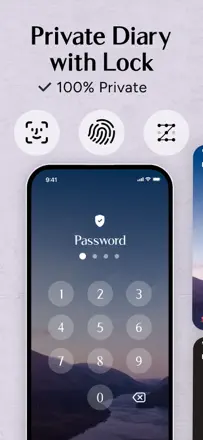
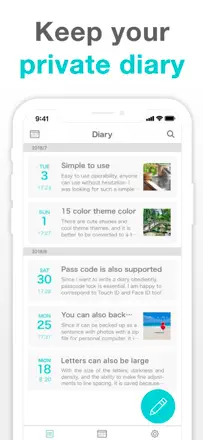
A simple password-protected diary with theme customization and free access to most features. The audience is mostly teenagers who are fine with the low barrier to entry.
Points forts : A lock that engages when leaving the app plus flexible theme customization without needing to pay.
Reproches : No mood chart, no writing prompts, and no analytics. It is a plain notepad, not a reflection tool.
Pour qui : Teenagers who want a personal diary with a password
Rang 10. Note des avis : 70 sur 100. Note sur l’App Store : 4,8★ · 836 notes
70sur 100
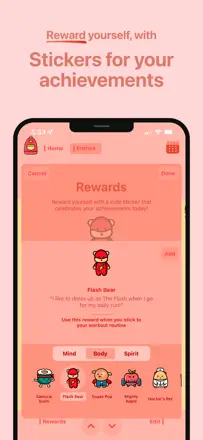
Bears Gratitude wins on illustration quality and removing friction from journaling: a short entry plus a bear illustration matching the mood. Long-term users (3 years) note stability and the value of a one-time purchase, which is rare in this market.
Points forts : The bear illustrations for each entry make returning to the diary an aesthetically pleasing and cozy ritual.
Reproches : Navigation through entries is swipe-only, which is awkward when you want to quickly find something from the past.
Pour qui : Those who want to briefly record gratitude and good moments from the day
Rang 11. Note des avis : 70 sur 100. Note sur l’App Store : 4,8★ · 746 notes
70sur 100
A newer app with AI feedback on entries, audio and video support, and a variety of prompts. Users appreciate the accessibility and prompts, but the AI still produces surface-level summaries rather than deep analysis.
Points forts : Writing prompts that help you get started when you do not know what you are feeling.
Reproches : You cannot edit a saved entry, and AI summaries take hours and amount to a paraphrase.
Pour qui : Those who are just starting to journal and want gentle prompts for reflection
Rang 12. Note des avis : 68 sur 100. Note sur l’App Store : 4,8★ · 1 896 notes
68sur 100
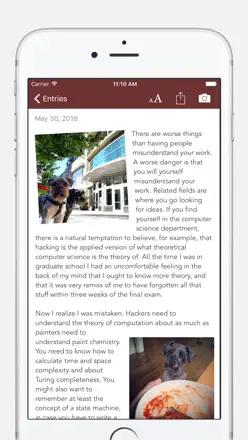
A reliable photo diary with excellent search and a monthly calendar view, with stable sync. The main product flaw: photos can only be inserted at the end of an entry, not inline.
Points forts : A calendar cover with photo thumbnails for the month gives an instant visual overview of your life.
Reproches : Photos cannot be placed at an arbitrary point in the text; they always appear as a separate block.
Pour qui : Visual chroniclers who want to remember life through photographs
Rang 13. Note des avis : 67 sur 100. Note sur l’App Store : 4,7★ · 6 836 notes
67sur 100
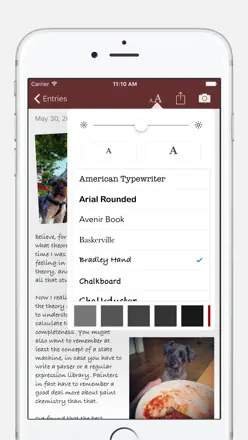
Bear remains one of the best note-taking apps in the Apple ecosystem: fast, beautiful, with powerful tagging and clean markdown. As a diary it only works if users build the structure themselves, and data occasionally gets lost during updates.
Points forts : Eight years of stable performance with a consistent experience across all Apple devices and quick sync without extra setup.
Reproches : The absence of a traditional folder hierarchy and mandatory tag-based organization puts off users who think linearly.
Pour qui : Those who write notes and keep a journal in markdown and want a beautiful tool in the Apple ecosystem
Rang 14. Note des avis : 67 sur 100. Note sur l’App Store : 4,8★ · 4 617 notes
67sur 100
Being Me offers a structured approach to journaling: morning and evening prompts, habit tracking, goals. Many users stick with it daily for months. The weak spot is an interface that feels cluttered in places, and the mobile-only format limits those who want to write at length.
Points forts : Ready-made morning and evening prompts make it easy to start even for those who have never kept a journal.
Reproches : Mood analytics are thin: the app collects data but shows almost nothing in the way of patterns or trends.
Pour qui : Beginners who want to build a journaling habit with the help of structure
Rang 15. Note des avis : 65 sur 100. Note sur l’App Store : 4,8★ · 34 852 notes
65sur 100
Stoic philosophy fits the daily reflection format well, and the free-writing space is valued by long-time users. Prompts repeat, AI feedback is shallow, and cross-device sync is unreliable.
Points forts : The minimal design and the idea of writing without judgment help people regularly express their thoughts.
Reproches : Prompts loop quickly and stop being surprising.
Pour qui : Those looking for a daily self-observation practice in the spirit of stoicism
Rang 16. Note des avis : 64 sur 100. Note sur l’App Store : 4,8★ · 4 502 notes
64sur 100
365 Gratitude builds a gratitude practice through daily stories, prompts, and mini-tasks. Many users stick with it for a year or more and report a real shift in mindset. The main weakness is content that sometimes repeats and an interface that is small and hard to read on a phone.
Points forts : A daily story and a specific reflection question make it easier to get into the right headspace than staring at a blank page.
Reproches : Almost no mood pattern analytics: the app motivates but does not show how your state evolves over time.
Pour qui : Those who want to build a daily gratitude practice with ready-made content
Rang 17. Note des avis : 64 sur 100. Note sur l’App Store : 4,7★ · 2 208 notes
64sur 100
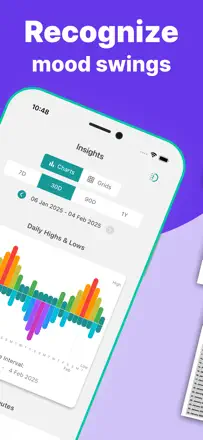
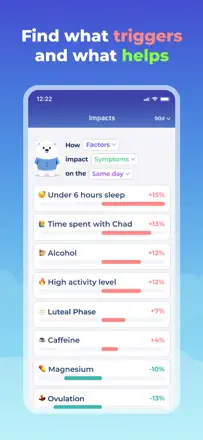
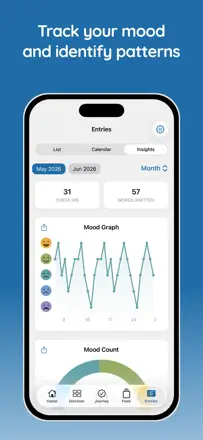
One of the few trackers that genuinely links mood to specific factors like sleep, physical activity, and thoughts, helping users see patterns rather than just logging data points.
Points forts : Charts showing the connection between mood, sleep, and activity provide concrete feedback that is easy to discuss with a therapist.
Reproches : Periodic connectivity issues make the app unavailable for days at a time and break ongoing streaks.
Pour qui : Those working with a therapist who want to systematically track how habits affect their emotional state
Rang 18. Note des avis : 64 sur 100. Note sur l’App Store : 4,8★ · 1 270 notes
64sur 100
This tracker handles the task of logging mood patterns in bipolar disorder well, thanks to simple daily input and weekly visualization. The parameter set is limited and there is no emotion customization.
Points forts : Simplicity that means the tracker actually gets used every day rather than abandoned after a week.
Reproches : The state range is narrow: only a spectrum from depression to euphoria, with no irritability, anxiety, or mixed episodes.
Pour qui : People with bipolar disorder and their families who want to track dynamics before a doctor's visit
Rang 19. Note des avis : 64 sur 100. Note sur l’App Store : 4,7★ · 842 notes
64sur 100
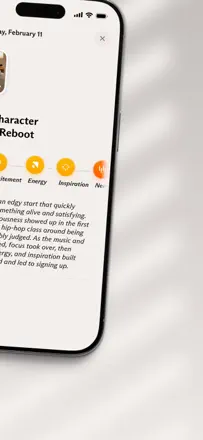
Tochi stands out with its "mood as story" concept organized into life chapters, making journaling feel more meaningful. The visual language of a hedgehog character and colored orbs encourages regular use, though moving basic features behind a paywall frustrates loyal users.
Points forts : Organizing entries into life chapters turns chaotic emotions into a coherent personal narrative.
Reproches : After recent updates, features that used to be free moved behind a subscription without any new capabilities being added.
Pour qui : Those who want to see their emotions as a story rather than just log entries
Rang 20. Note des avis : 63 sur 100. Note sur l’App Store : 4,8★ · 7 249 notes
63sur 100
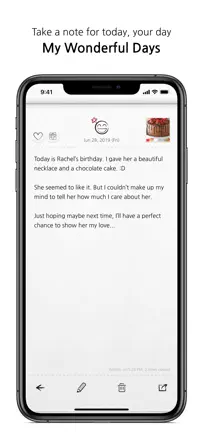
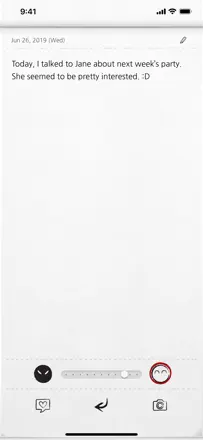
My Wonderful Days has worked as a simple daily diary for over ten years and keeps its audience through habit and a comfortable design. Key limitations: the mood indicator is incomplete (no sad emotions), the interface is dated, and data occasionally gets lost after crashes.
Points forts : Users have kept a diary for years and value how low-friction it is: open it, write, close it, no extra steps.
Reproches : The mood slider only covers a range from neutral to angry, ignoring the entire spectrum of sadness and anxiety.
Pour qui : Those who want a simple daily journal without extra features and do not need mood analysis
Rang 21. Note des avis : 63 sur 100. Note sur l’App Store : 4,7★ · 1 426 notes
63sur 100
A functional cross-platform diary with Markdown support and iCloud sync that works reliably for most people. Sync conflicts when writing from multiple devices simultaneously, and onboarding does a poor job explaining the basics.
Points forts : Markdown formatting and stable sync between iPhone and Mac without any extra configuration.
Reproches : When writing on two devices back to back, sync conflicts and entries get mixed up.
Pour qui : Fans of clean text journaling in the Apple ecosystem
Rang 22. Note des avis : 63 sur 100. Note sur l’App Store : 4,6★ · 965 notes
63sur 100
Grid Diary offers a genuinely flexible grid format with good prompts and photo support, but cross-device sync has been broken for a long time and spoils the experience for paying users. Long-term users love the concept; newcomers stumble over technical issues.
Points forts : A structured grid format with configurable prompts helps you write every day without facing a blank page.
Reproches : Sync between the phone and other devices is unreliable and loses entries.
Pour qui : Those who want to ask themselves the same questions every day
Rang 23. Note des avis : 62 sur 100. Note sur l’App Store : 4,8★ · 5 752 notes
62sur 100
Bearable excels as a symptom tracker for people with chronic conditions: flexible setup, correlations between parameters, and genuinely useful at doctor appointments. The main weakness is an overwhelming interface, a high entry barrier, and new updates that periodically break things that worked before.
Points forts : The ability to trace the link between food, sleep, and how you feel, then show the doctor a real picture over a month.
Reproches : Too many steps per entry: many users quit within a week from setup fatigue.
Pour qui : People with chronic illnesses who keep a medical diary for their doctor
Rang 24. Note des avis : 62 sur 100. Note sur l’App Store : 4,9★ · 3 118 notes
62sur 100
The AI conversation partner genuinely helps formulate thoughts and deepen reflection, but users with intensive use quickly hit message limits and response quality is inconsistent.
Points forts : The conversational format helps you get thoughts out and structure them without fear of judgment.
Reproches : The AI occasionally mixes up facts from past entries and tends toward excessively enthusiastic reactions to any event.
Pour qui : People who need an accessible conversation partner for reflection at any hour
Rang 25. Note des avis : 62 sur 100. Note sur l’App Store : 4,7★ · 1 032 notes
62sur 100
Reflection offers real value: structured prompts, voice input, and sync between iOS and web help build a habit. AI reflection is still limited to paraphrasing, and the app is still rough around the edges in terms of reliability.
Points forts : Structured prompts and an AI coach help people who could never stick to a diary write every day.
Reproches : Voice recordings sometimes disappear, and import from other apps has been broken for several months.
Pour qui : Those who want not just to record but to work through their thoughts with guiding questions
Rang 26. Note des avis : 61 sur 100. Note sur l’App Store : 4,8★ · 69 702 notes
61sur 100
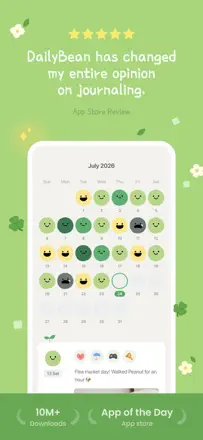
DailyBean is the most visually appealing minimalist mood tracker in this category: pick an emotion for the day, add a note, view analytics. The core works great, but an ad after every saved entry breaks the journaling rhythm.
Points forts : Themed skins and the small animated bean make the daily mood check-in a genuinely pleasant ritual.
Reproches : An ad after every saved entry destroys the feeling of a smooth, quiet journaling experience.
Pour qui : Those who want to log their mood simply and beautifully without many words
Rang 27. Note des avis : 61 sur 100. Note sur l’App Store : 4,8★ · 3 981 notes
61sur 100
Orca (formerly Happyfeed) is a gratitude diary with photos and a social layer for small groups. The low barrier to entry and the daily three-good-moments ritual work. The app periodically loses entries, and switching to a new device often means losing your history.
Points forts : Three good moments from the day plus a photo: a simple ritual that genuinely starts the habit of noticing good things.
Reproches : You cannot edit an entry after saving it, and there is no search through past entries, so it is a diary you cannot go back to.
Pour qui : Those who want a simple daily gratitude ritual, ideally shared with people close to them
Rang 28. Note des avis : 61 sur 100. Note sur l’App Store : 4,7★ · 906 notes
61sur 100
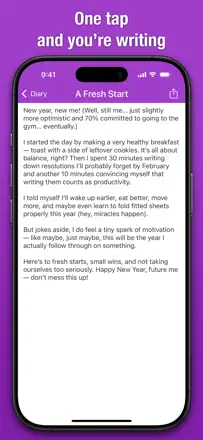
Simple Diary honestly delivers on its promise of simplicity: quick input, fingerprint lock, photos. Users return and stay for years, but losing entries during crashes with no proper backup is a serious flaw.
Points forts : A minimal interface with no extra buttons lets you open the app and write in a few seconds.
Reproches : Entries occasionally disappear with no way to recover them, and there is no real cross-device access.
Pour qui : Those who want to write every day without any extra setup
Rang 29. Note des avis : 60 sur 100. Note sur l’App Store : 4,8★ · 29 127 notes
60sur 100
The CBT structure helps identify cognitive distortions, and therapists actively recommended the app to clients. After a redesign, features began conflicting with each other, the AI chat responds with platitudes, and it occasionally switches to the wrong language.
Points forts : The step-by-step CBT thought breakdown gives real insights into your own patterns.
Reproches : Being forced to choose a streak length before writing feels like pressure rather than support.
Pour qui : Those dealing with anxiety who want structured CBT self-help
Rang 30. Note des avis : 58 sur 100. Note sur l’App Store : 4,9★ · 719 411 notes
58sur 100
Finch is more of a self-care Tamagotchi than a journal: you set goals and "feed" the bird with your achievements. The core mechanic works and keeps people going for years, but recent updates (promotional events, inventory bugs, removed features) are slowly dismantling what made it loved.
Points forts : Daily quests and the pet growing alongside you provide the small dopamine push that helps many people not give up on their habits.
Reproches : The developers are increasingly replacing content with paid events and promotional collaborations, while removing beloved old features without warning.
Pour qui : Those who need a game loop for motivation rather than a text diary
Rang 31. Note des avis : 58 sur 100. Note sur l’App Store : 4,9★ · 44 874 notes
58sur 100
A simple gratitude journal with good prompts and a vision board. Serious data loss for several users and complete silence from support badly undermine trust.
Points forts : Themed challenges and the vision board keep users engaged with the practice every day.
Reproches : A hard streak reset after missing one day works against the user rather than for them.
Pour qui : Those who want a short morning gratitude practice
Rang 32. Note des avis : 58 sur 100. Note sur l’App Store : 4,6★ · 5 038 notes
58sur 100
Journey offers a rich set of formats: text, photos, voice, templates, and cloud sync. It suits those who want a life archive across all devices. Weak spots are navigation that is sometimes unclear and sync that occasionally loses entries.
Points forts : Entries are accessible from any device and saved for years, giving the feeling of a genuine personal archive.
Reproches : No mood analytics or pattern insights: the app stores your data but does not help you understand it.
Pour qui : Those who keep a detailed personal archive with photos and want access everywhere
Rang 33. Note des avis : 58 sur 100. Note sur l’App Store : 4,7★ · 3 053 notes
58sur 100
A thoughtful structure for different types of journals in one place genuinely helps build a writing practice, though some users lose account access after updates.
Points forts : You can keep morning pages, a gratitude journal, and a weekly review in one app with different templates.
Reproches : No way to organize entries into folders or by topic, which is inconvenient when running several parallel journals.
Pour qui : Those who want to combine several writing practices in one structured space
Rang 34. Note des avis : 58 sur 100. Note sur l’App Store : 4,7★ · 1 610 notes
58sur 100
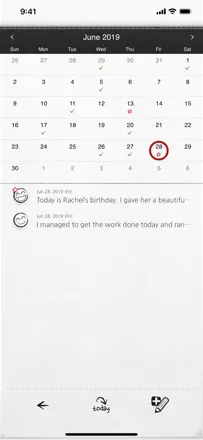
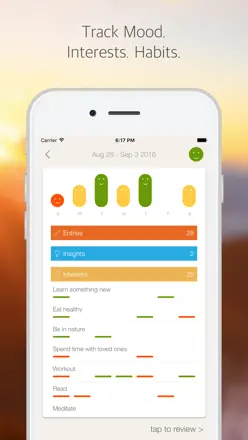
A polished diary with a weekly mood rating and an interests tracker that many people have used for years. Development is effectively frozen: no export, no Mac support, and the journal grows without limit and can take up several gigabytes.
Points forts : A weekly mood snapshot and interest checkboxes give structure to reflection without extra work.
Reproches : There is no data export at all; the diary accumulates locally and can balloon to 5 GB.
Pour qui : Disciplined journalers prepared to live with abandoned development in exchange for a comfortable interface
Rang 35. Note des avis : 58 sur 100. Note sur l’App Store : 4,7★ · 1 321 notes
58sur 100
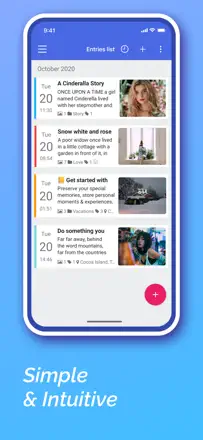
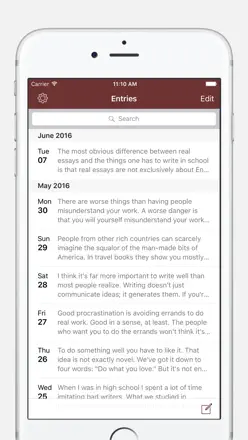
The card format suits those who want to see a day on one screen and quickly browse through the calendar. Tagging works, but formatting is not saved and support has been frozen for several years.
Points forts : Minimalism without forced "therapy" features and powerful tag search for people with a large archive.
Reproches : Formatting (bold, italic) is lost on save, and the app has not been updated in a long time.
Pour qui : Those who have kept a diary for years and want a simple chronicle without extra features
Rang 36. Note des avis : 56 sur 100. Note sur l’App Store : 4,8★ · 47 442 notes
56sur 100
1 Second Everyday delivers a unique video diary idea built from one-second daily clips, and for those who have kept at it for years it becomes a genuinely valuable life archive. Recent interface updates made navigation less intuitive, and a regression in export quality disappointed long-term users.
Points forts : An annual video reel made from one second of each day gives a sense of a year lived that no other diary format can match.
Reproches : The new interface is confusing, and high-resolution export has regressed: 60fps was removed for the already-paid Pro plan.
Pour qui : Those who want a video chronicle of their life rather than a text or mood diary
Rang 37. Note des avis : 56 sur 100. Note sur l’App Store : 4,7★ · 10 964 notes
56sur 100
One of the few mood trackers with a real CBT mechanic: you identify a cognitive trap and challenge it. It works as a therapy supplement, but widgets have been broken for over a year and period progress is only visible in the paid version.
Points forts : The step-by-step thought breakdown through cognitive traps helps where simply rating your mood does not.
Reproches : Widgets have been broken for over a year; mood analytics for a given period is locked behind a paywall.
Pour qui : Those who have done or are doing CBT therapy and want to practice the techniques on their own
Rang 38. Note des avis : 55 sur 100. Note sur l’App Store : 4,8★ · 289 707 notes
55sur 100
Apple's built-in app with solid ecosystem integration: photos, location, reminders out of the box, and no subscription. But the editor is rough: handwritten entries disappear, undo is broken, and multi-device sync is unreliable.
Points forts : Being completely free with deep iPhone integration makes starting a journaling habit almost frictionless.
Reproches : The editor is unstable: Apple Pencil entries disappear and cross-device sync loses data.
Pour qui : Apple users who want to start journaling without downloading anything extra
Rang 39. Note des avis : 55 sur 100. Note sur l’App Store : 4,8★ · 28 949 notes
55sur 100
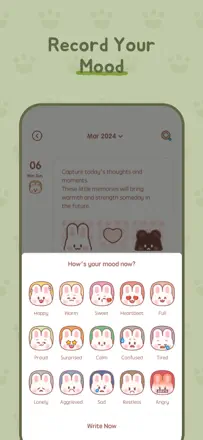
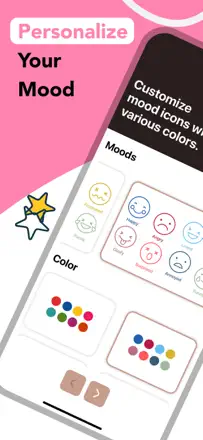
Cute personalized emoji moods and Face ID protection work well as a concept. Chronic data loss when switching phones and weak backup make the app unreliable for long-term journaling.
Points forts : Creating your own emoji moods makes tracking feel alive and personal.
Reproches : When moving to a new phone, entries disappear and cannot be recovered.
Pour qui : Those who want a visual and playful mood diary on a single device
Rang 40. Note des avis : 55 sur 100. Note sur l’App Store : 4,9★ · 15 911 notes
55sur 100
The app honestly does one thing: it reminds you to write three gratitudes a day and shares them with a close circle. That is enough for people with depression and anxiety as a daily practice, but the product is still rough.
Points forts : A bedtime reminder notification and the ability to share gratitudes with a circle of people.
Reproches : The streak resets without warning, you cannot fill in a missed day, and the family plan works inconsistently.
Pour qui : Those building a morning or evening gratitude practice
Rang 41. Note des avis : 55 sur 100. Note sur l’App Store : 4,7★ · 4 451 notes
55sur 100
Diaro is a mature cross-platform diary with folders, tags, location, and voice input. It works well as a personal archive with organization. The app looks dated, develops slowly, and password locking is unreliable.
Points forts : Folders and tags for organizing entries: the only way to really structure years of diary notes.
Reproches : No mood tracking, analytics, or prompts at all: just a text repository with no feedback.
Pour qui : Those who have journaled for years and want a reliable cross-platform archive
Rang 42. Note des avis : 55 sur 100. Note sur l’App Store : 4,8★ · 2 685 notes
55sur 100
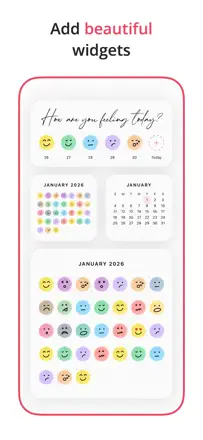
A lightweight emoji mood tracker with widgets that handles daily emotion logging well and lets you scroll through past entries, but the sparse free emoji set limits how precisely you can express yourself.
Points forts : A seven-day mood display widget on the home screen makes patterns visible without opening the app.
Reproches : The basic emoji set is too small for capturing nuanced moods, and the extended palette is locked behind a subscription.
Pour qui : Those who want to log their mood concisely through emoji without deep text analysis
Rang 43. Note des avis : 55 sur 100. Note sur l’App Store : 4,5★ · 2 199 notes
55sur 100
A flexible tracker with powerful customization and good data history, but export relies on Google OAuth and periodically breaks, and saving entries is unreliable.
Points forts : Wide field customization and clear charts spanning years of observations.
Reproches : Data export regularly stops working and entries occasionally disappear without warning.
Pour qui : Methodical habit and event trackers with a long time horizon
Rang 44. Note des avis : 55 sur 100. Note sur l’App Store : 4,8★ · 1 139 notes
55sur 100
Halo lowers the barrier for people with ADHD and procrastination: prompts and the "moment" structure help you get started. Free-form writing is limited, and the AI companion restates what you wrote rather than deepening the reflection.
Points forts : Prompts help people with executive dysfunction start writing without getting paralyzed by the blank page.
Reproches : Free entries outside the "moment" do not support metadata: no weather, activity, or mood rating.
Pour qui : Those who have long wanted to journal but could not start without external structure
Rang 45. Note des avis : 54 sur 100. Note sur l’App Store : 4,6★ · 81 714 notes
54sur 100
Reflectly offers a structured check-in through questions and mood tags, which is more approachable than a blank page for people who struggle to start writing. The main problems are unstable login that wipes two years of data and broken widgets for paying users.
Points forts : Daily question prompts help those who do not know where to start and gently build a reflection habit.
Reproches : Login breaks and locks out years of entries, and home screen widgets periodically stop working.
Pour qui : Those who need guiding questions rather than a blank page
Rang 46. Note des avis : 54 sur 100. Note sur l’App Store : 4,8★ · 17 439 notes
54sur 100
The morning-and-evening format with fixed prompts builds a solid reflection habit, and the product has a loyal core with 7-9 years of use. A serious problem: entries disappear without warning during updates and support is slow to respond.
Points forts : Splitting the day into a morning and evening session structures the day and makes reflection a predictable habit.
Reproches : The mood tracker does not function properly, and prompts do not adapt to the user's schedule.
Pour qui : Those who want a short morning and evening positive reflection practice
Rang 47. Note des avis : 52 sur 100. Note sur l’App Store : 4,8★ · 142 946 notes
52sur 100
Habit Tracker is a clean and visual habit tracker with pleasant animations and widgets, but the six-habit limit on the free tier hurts the most basic use case. Mood tracking is there, but limited to one check-in per day, which feels thin.
Points forts : Swiping to mark a habit done and the audio feedback give a satisfying sense of progress.
Reproches : Only one mood entry per day and a hard cap on the number of habits make the app feel incomplete without the paid version.
Pour qui : Those who need a minimalist tracker for three or four key habits
Rang 48. Note des avis : 52 sur 100. Note sur l’App Store : 4,7★ · 27 622 notes
52sur 100
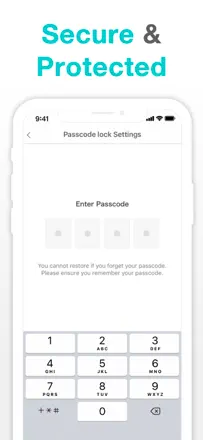
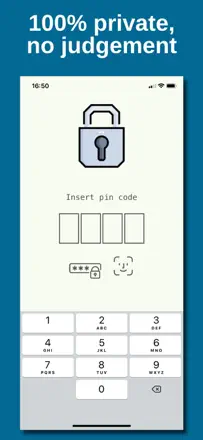
Those who care about privacy appreciate the reliable lock and simple entry format. Data loss when switching devices and no support make the app risky for storing personal entries.
Points forts : Face ID and PIN lock give confidence that entries stay private.
Reproches : No default account or cloud backup, so switching to a new phone often means losing everything.
Pour qui : Those who want a simple private diary without extras
Rang 49. Note des avis : 52 sur 100. Note sur l’App Store : 4,7★ · 14 291 notes
52sur 100
A simple chronological diary with no clutter: entries group by day, there is search, voice input. The main and growing problem: banner ads now cover the text.
Points forts : Multiple entries from the same day are gathered on one page, like in a paper diary.
Reproches : Ads cover all the text when the entry opens, and there is no way to categorize notes.
Pour qui : Those who want a minimalist diary with no account or cloud
Rang 50. Note des avis : 52 sur 100. Note sur l’App Store : 4,8★ · 7 641 notes
52sur 100
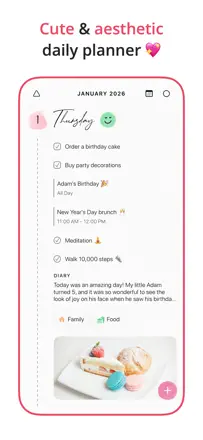
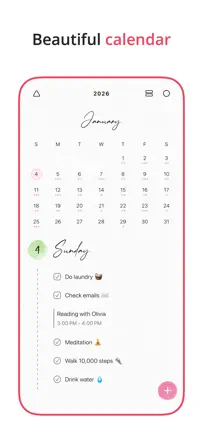
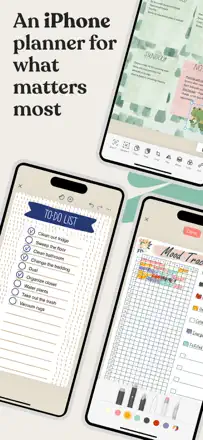
Floret shines as a visual planner: beautiful themes, well-structured day view, responsive support. As a diary it is secondary and offers no reflection or mood features, and the number of free event slots is critically low without a subscription.
Points forts : The visual polish and well-thought-out visual hierarchy make it easy to stay in the system and return to the planner every day.
Reproches : A limit of two or three events without paying makes the free version a decorative showcase rather than a working tool.
Pour qui : Those who want an attractive daily planner and are willing to pay for full access
Rang 51. Note des avis : 52 sur 100. Note sur l’App Store : 4,7★ · 1 293 notes
52sur 100
A simple private diary with a lock and offline mode that covers the basic need: writing without fear that someone will read it. Photos freeze and customization is minimal.
Points forts : Users value the password lock and offline operation as their main source of psychological safety.
Reproches : Almost no customization: one cover, no stickers, very few design options.
Pour qui : Teenagers and those for whom privacy matters more than features
Rang 52. Note des avis : 52 sur 100. Note sur l’App Store : 4,8★ · 973 notes
52sur 100
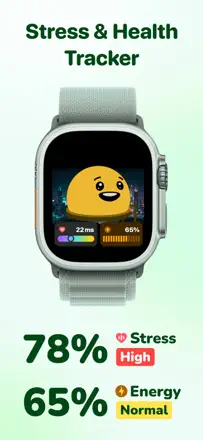
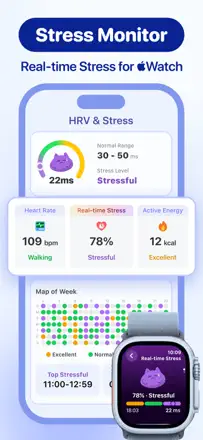
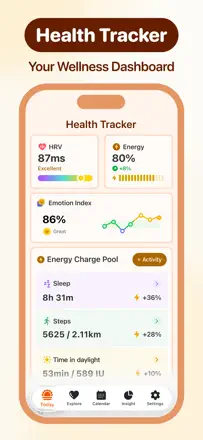
Moodpress works well alongside an Apple Watch and draws users in with its visual design, but without the watch, half the features become useless. The diary component is basic; the focus is on tracking physical metrics, not emotions.
Points forts : The bright design with animations and Apple Watch integration turn the daily check-in into a small ritual.
Reproches : Without an Apple Watch, almost everything related to stress and activity tracking stops working.
Pour qui : Apple Watch owners who want to see mood alongside physical metrics
Rang 53. Note des avis : 49 sur 100. Note sur l’App Store : 4,6★ · 54 275 notes
49sur 100
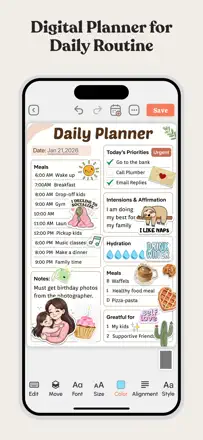
Zinnia is a digital scrapbook planner with broad creative options: stickers, templates, Apple Pencil, various covers. As a journaling tool it is weak due to an unstable editor and aggressive moving of basic assets behind a paywall.
Points forts : A rich template library and Apple Pencil support turn journaling into a creative activity for those who like to decorate their pages.
Reproches : The editor occasionally deletes written text on exit, and most visual elements require a subscription.
Pour qui : Creative people who want a digital scrapbook rather than just a place for text
Rang 54. Note des avis : 48 sur 100. Note sur l’App Store : 4,7★ · 1 125 notes
48sur 100
A functional diary with a print feature and a comfortable interface, but the story of previously free entries being suddenly locked behind a paywall severely damages user trust.
Points forts : The print feature and the ability to keep daily work notes in a structured format.
Reproches : No keyword search and sync between iPad and iPhone is unreliable.
Pour qui : Adult users who keep a regular diary and occasionally want to print it
Rang 55. Note des avis : 45 sur 100. Note sur l’App Store : 4,8★ · 5 301 notes
45sur 100
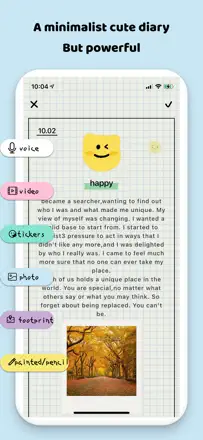
A simple diary with a lock, photos, and stickers aimed at teenagers. It works as a personal space for entries, but has no depth: no mood analytics, no smart prompts, and the format does not grow with the user.
Points forts : PIN and Face ID built into the app give the feeling that it is genuinely personal.
Reproches : No processing of what is written: just a text repository with no trends, patterns, or feedback.
Pour qui : Teenagers who need a protected personal diary
Rang 56. Note des avis : 44 sur 100. Note sur l’App Store : 4,7★ · 26 764 notes
44sur 100
An ultra-minimalist password-protected notepad that appeals to those who want to write without distractions. The single fatal product flaw: no password recovery and no cloud backup, so users lose years of entries.
Points forts : No ads at all and the simplest possible interface let you focus entirely on writing.
Reproches : There is no password recovery, and forgetting your PIN destroys the entire entry history.
Pour qui : Those who want the simplest possible diary with a lock and accept the risk of data loss
Rang 57. Note des avis : 44 sur 100. Note sur l’App Store : 4,7★ · 14 825 notes
44sur 100
Before a recent update this was one of the best weekly planners with a convenient week overview. After the redesign, sync is broken, duplicates entries, and the free horizon is cut to one week.
Points forts : Seeing the whole week on one screen and searching through past entries.
Reproches : Cross-device sync requires a manual tap and creates duplicates; notes cannot be recovered after deletion.
Pour qui : Those who plan week by week rather than month by month and work from one device
Rang 58. Note des avis : 44 sur 100. Note sur l’App Store : 4,6★ · 8 145 notes
44sur 100
The shared diary concept for couples or families is sound: the questions genuinely help people connect across distance. But an aggressive onboarding with a forced rating before first use and an abrupt move to a paid model undermine trust.
Points forts : For long-distance couples, daily questions create a shared ritual and give a reason to talk about something real.
Reproches : The number of journals directly affects the subscription price, so active users end up trapped: the more they used it, the more it costs to continue.
Pour qui : Couples or close people at a distance who want to keep a living conversation through questions
Rang 59. Note des avis : 44 sur 100. Note sur l’App Store : 4,6★ · 3 041 notes
44sur 100
The simple gratitude diary works for those who have been in it for years, but a mass switch to a new subscription model cut longtime users off from their own entries.
Points forts : A minimalist format with three questions a day does not overwhelm and builds a durable gratitude habit.
Reproches : No grouping of entries by tag as a unified list, and prompt customization is only available in the paid version.
Pour qui : Those who want a simple daily gratitude ritual with no extra features
Rang 60. Note des avis : 42 sur 100. Note sur l’App Store : 4,5★ · 1 654 notes
42sur 100
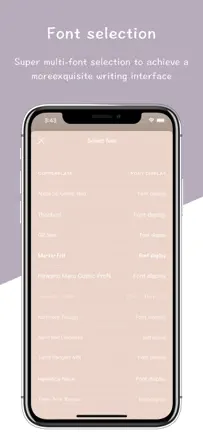
A simple and accessible diary with a PIN and font choices, suitable for basic daily writing. Critical issue: no cloud backup, so switching phones wipes all entries.
Points forts : A simple PIN instead of a password and minimal screens on launch.
Reproches : Entries are stored only locally with no backup; replacing your phone resets the entire diary.
Pour qui : Beginners in journaling who need the lowest possible barrier to entry
Rang 61. Note des avis : 42 sur 100. Note sur l’App Store : 4,6★ · 1 048 notes
42sur 100
Bujo takes the bullet journal aesthetic and makes it digital, but stability is lacking: entries disappear, sync lags, and the app periodically refuses to open.
Points forts : Setup flexibility and multi-day tasks with automatic rollover appeal to bullet journal fans.
Reproches : Data gets lost during crashes and after restoring from an iCloud backup.
Pour qui : Bullet journal fans willing to live with occasional glitches in exchange for a digital format
Rang 62. Note des avis : 41 sur 100. Note sur l’App Store : 4,8★ · 23 263 notes
41sur 100
The visual mood bubble concept with multiple colors is original, and the AI feedback is appreciated by those who use it. Constant lag, freezes, and crashes make daily use miserable.
Points forts : Visualizing mood as a colored bubble gives a vivid sense of the day's emotional state.
Reproches : The app lags so badly that users give up journaling simply from waiting for the screen to load.
Pour qui : Those who want a beautiful visual mood tracker and can live with unstable performance
Rang 63. Note des avis : 41 sur 100. Note sur l’App Store : 4,1★ · 879 notes
41sur 100
Momento was built on the unique idea of aggregating personal social media data into a diary, but most integrations have been broken and unsupported for years. It still works as a plain text journal without social feeds, but the feeling of an abandoned product makes it hard to trust as a life archive.
Points forts : The idea of pulling posts from different social networks into a single memory feed was genuinely original.
Reproches : Social media integrations have been broken for years, data export does not work, and the developer does not respond.
Pour qui : Those who keep a text diary and do not count on social media integrations
Rang 64. Note des avis : 41 sur 100. Note sur l’App Store : 4,5★ · 804 notes
41sur 100
A social network for venting emotions that once worked well but has been without support for years: login breaks, comments do not send, and blocks do not work. The product survives on the inertia of its old audience.
Points forts : An anonymous community where strangers support each other through difficult moments.
Reproches : No data export, moderation does not function, and toxic users are only nominally blocked.
Pour qui : Those who want to vent anonymously and get a response from strangers
Rang 65. Note des avis : 38 sur 100. Note sur l’App Store : 4,8★ · 16 518 notes
38sur 100
The idea is solid: a cat guru, habit tracker, and life wheel in one place. In practice, endless tutorial animations and an unfinished engine get in the way of reaching the actual tool.
Points forts : Gamification with points and cat animations keeps users in the habit longer than they expected.
Reproches : Onboarding is lengthy and cannot be skipped; the AI cat has not been updated since 2022, and you cannot attach photos.
Pour qui : Those who want a gamified self-improvement format and can forgive instability
Rang 66. Note des avis : 38 sur 100. Note sur l’App Store : 4,8★ · 4 591 notes
38sur 100
Vision Board Perfectly Happy is closer to a goal visualization tool than a mood journal. The core vision board creation feature works unreliably, the affirmation audio feels mechanical, and the app has almost nothing to do with mood tracking or reflection.
Points forts : Quick creation of a video vision board from personal photos directly on the phone, no computer needed.
Reproches : No mood tracking and no reflection tools: it is an inspirational slideshow, not a self-knowledge instrument.
Pour qui : Those who believe in goal visualization and want a daily motivating video
Rang 67. Note des avis : 38 sur 100. Note sur l’App Store : 4,2★ · 2 515 notes
38sur 100
The web version of Penzu works decently and offers a feature that reminds you of past entries from the same date in previous years, but the mobile app has not been updated in a long time and consistently breaks during voice input and sync.
Points forts : Annual reminders about entries from the same day in past years motivate you to come back to the diary.
Reproches : Voice input reliably cuts out every few seconds, making it practically unusable.
Pour qui : Those who journal primarily through a browser and value the retrospective reminder feature
Rang 68. Note des avis : 38 sur 100. Note sur l’App Store : 4,4★ · 770 notes
38sur 100
The classic version of the app with a grid diary format that developers have effectively abandoned in favor of Grid Diary 2. Export is blocked, previously purchased features disappear, and the app crashes on launch.
Points forts : The grid structure with editable questions helped turn writing into a habit without unnecessary decoration.
Reproches : The product is frozen: features degrade and data cannot be exported without moving to the new app.
Rang 69. Note des avis : 36 sur 100. Note sur l’App Store : 4,8★ · 9 488 notes
36sur 100
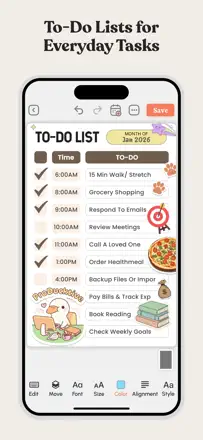
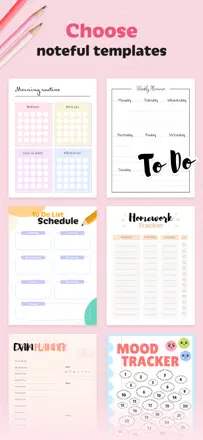
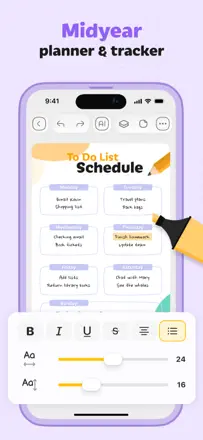
A beautiful digital planner with a large template selection that is almost entirely locked behind a paywall. Three pages per journal for free, $40 per month or $100 lifetime with no way to keep your data after the subscription ends.
Points forts : A rich selection of ready-made planner templates with customizable colors and covers.
Reproches : Data disappears when the subscription ends, and the free mode is capped at three pages per journal.
Pour qui : Those who want an attractive digital planner and are prepared to pay monthly
Rang 70. Note des avis : 35 sur 100. Note sur l’App Store : 4,8★ · 20 410 notes
35sur 100
Cute aesthetics and stickers attract a young audience. Data loss, freezes, and forced ads to unlock features make the product unreliable even as casual entertainment.
Points forts : Decorative pages with stickers and backgrounds make for a visually pleasant diary.
Reproches : Data disappears without warning and login between devices is unreliable.
Pour qui : Children and teenagers who want a pretty diary and do not plan to store entries long-term
Rang 71. Note des avis : 34 sur 100. Note sur l’App Store : 4,7★ · 5 027 notes
34sur 100
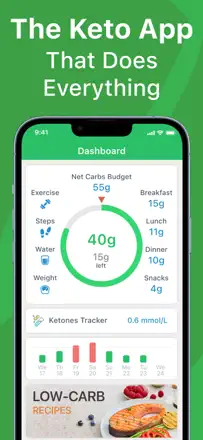
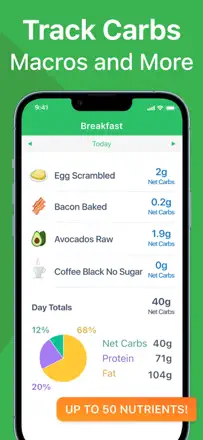
This is a keto diet food tracker, not a mood diary. It has almost nothing to do with the journaling or mood-tracking category: no thought entries, no emotion tracking, no reflection. It works adequately as a carb counter, but the advertised analytics features require a subscription.
Points forts : Convenient food search and a clear macro counter for the keto protocol.
Reproches : No diary or mood tracking features whatsoever: it is simply a food log.
Rang 72. Note des avis : 34 sur 100. Note sur l’App Store : 4,5★ · 904 notes
34sur 100
Diary - Private Note is visually attractive, but the key advertised feature, the password lock, is behind a paywall, which misleads users. You cannot scroll back through a long entry, which is a fundamental usability failure for a diary.
Points forts : A visually appealing notebook-page design creates the mood of a real diary.
Reproches : A long entry cannot be scrolled and re-read from the beginning; text goes off-screen with no way to return.
Pour qui : Those who want a beautiful virtual diary and are willing to pay for basic features upfront
Rang 73. Note des avis : 32 sur 100. Note sur l’App Store : 4,5★ · 3 636 notes
32sur 100
The one-second-a-day concept is compelling, but the feature for compiling a final video breaks precisely when it is needed most. Users consistently lose an entire year of memories.
Points forts : The simplicity of recording one moment a day builds the habit effortlessly.
Reproches : Compiling the final video regularly fails or freezes, making the app's main value unreachable.
Pour qui : Those who want a lightweight video diary without worrying about the final edit
Rang 74. Note des avis : 32 sur 100. Note sur l’App Store : 4,4★ · 737 notes
32sur 100
A locked diary where the free user can create only 3 entries, after which every action is interrupted by an ad or a subscription prompt. The core function is blocked too early for the app to be genuinely useful.
Points forts : Simple password protection with font options appeals to those who manage to get into the editor.
Reproches : A 3-entry limit makes the app useless as a diary: reflection requires regularity, not a single session.
Pour qui : Nobody; the limitations kill the habit before it can form
Rang 75. Note des avis : 31 sur 100. Note sur l’App Store : 4,7★ · 8 090 notes
31sur 100
The video diary idea resonates with people who find it easier to talk than to write. But videos regularly disappear, the interface freezes during recording, and pricing is opaque to a degree that some users call deceptive.
Points forts : Speaking aloud and then rewatching yourself a month later gives a sense of personal therapy without a middleman.
Reproches : Video recordings vanish after updates and support does not restore lost data, making the app a risky place to store memories.
Pour qui : Those who process emotions through speech rather than writing and want to see themselves over time
Rang 76. Note des avis : 31 sur 100. Note sur l’App Store : 4,6★ · 1 751 notes
31sur 100
This is a decorative diary toy rather than a mood tool: users themselves call it a "game" and praise the stickers and colors. There are no features for mindful journaling here.
Points forts : A bright and cozy interface with collages and stickers; it is simply pleasant to open.
Reproches : No reflection tools at all: no templates, no mood labels, no reminders.
Pour qui : Children and teenagers who want a digital version of a pretty notebook
Rang 77. Note des avis : 30 sur 100. Note sur l’App Store : 4,5★ · 2 648 notes
30sur 100
After the rebrand from Journey to Journal, the app lost years of user data and key planner features, and trust in it as a repository for personal entries has been badly damaged.
Points forts : A minimalist Moleskine-style design creates a pleasant notebook feel.
Reproches : There is no way to browse a list of all past entries; navigation through the diary is only by calendar.
Pour qui : Those who value the Moleskine brand aesthetic and want a simple digital notebook
Rang 78. Note des avis : 30 sur 100. Note sur l’App Store : 4,5★ · 1 243 notes
30sur 100
The interface is clean and extremely simple, but the payment gateway is broken: users pay for storage and still get blocked. No lock, no ability to back-date an entry.
Points forts : A minimalist interface with no noise works for short travel notes.
Reproches : No password protection and no way to add an entry for a past date.
Pour qui : Travelers who want a no-setup notepad, if the payment issue gets fixed
Rang 79. Note des avis : 28 sur 100. Note sur l’App Store : 4,3★ · 14 210 notes
28sur 100
Essentially a beautiful template viewer: without a subscription you get three covers, one template per section, and a handful of stickers. The pencil tool for handwritten notes is awkward because the toolbar covers a quarter of the page.
Points forts : Visually beautiful planner templates with the option to decorate a spread with stickers.
Reproches : Almost nothing works without a subscription, and handwritten input is uncomfortable due to the toolbar.
Pour qui : Those willing to pay for an aesthetic digital planner and not expecting a rich free version
Rang 80. Note des avis : 28 sur 100. Note sur l’App Store : 4,6★ · 8 198 notes
28sur 100
The app has been around for a long time and retains its audience by inertia, but the systemic problem is clear: ads interrupt writing and erase text, and data disappears without warning. Writing here is not safe.
Points forts : Users praise the simple interface and feminine design that invites personal journaling.
Reproches : Ads insert themselves mid-entry and reset unsaved text, making the journaling process itself unreliable.
Pour qui : Those who want a free diary and accept the risk of losing entries
Rang 81. Note des avis : 28 sur 100. Note sur l’App Store : 4,7★ · 3 113 notes
28sur 100
The idea of caring for a pet as motivation for habit tracking is appealing, but the app regularly loses progress, purchased items disappear, and without a subscription functionality is nearly zero.
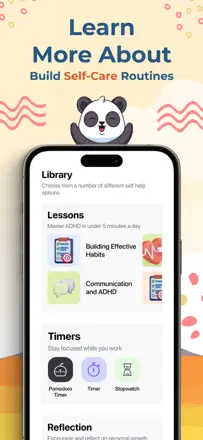
Points forts : The virtual panda pet creates an emotional attachment and motivates returning every day.
Reproches : Progress and purchased room items periodically reset without warning, devaluing accumulated effort.
Pour qui : Teenagers who need gamified motivation for basic journaling habits
Rang 82. Note des avis : 28 sur 100. Note sur l’App Store : 4,5★ · 879 notes
28sur 100
Chronicle looks like an abandoned product: the last update was six years ago, the developer does not answer emails, and on recent iOS versions the app fails to open and destroys years of entries. Relying on it as a main diary is risky.
Points forts : Users with a decade of history praise the simple and unobtrusive interface for honest personal journaling.
Reproches : The app has not been updated for years and stops opening after iOS updates, destroying all entries.
Pour qui : Not recommended to anyone in its current state
Rang 83. Note des avis : 27 sur 100. Note sur l’App Store : 4,6★ · 1 572 notes
27sur 100
An attractive collage diary with stickers aimed at a very young audience. Entries occasionally vanish without explanation, which is a fundamental failure for a diary.
Points forts : The collage editor with stickers and personal photos looks colorful and fun.
Reproches : Entries disappear on reinstall or after a day change with no backup mechanism.
Pour qui : Children under 12 who want a pretty digital diary
Rang 84. Note des avis : 24 sur 100. Note sur l’App Store : 4,7★ · 10 218 notes
24sur 100
A children's visual diary with a lock that is advertised with drawing and stickers but delivers a plain text editor with heavy ads and unreliable saving.
Points forts : The password and lock feature gives children a sense of privacy, which is valuable in itself.
Reproches : Ads interrupt every screen transition and entries sometimes disappear on exit.
Pour qui : Young children for whom the idea of a locked personal diary is what matters
Rang 85. Note des avis : 24 sur 100. Note sur l’App Store : 4,3★ · 1 935 notes
24sur 100
There is a pleasant design and voice notes, but this is effectively a notepad with no lock: the core privacy feature is paid, and the editor offers nothing beyond standard text fields.
Points forts : A pleasing visual style and low friction on first launch.
Reproches : No journaling structure at all: no labels, no reminders, no history view by day.
Pour qui : Teenagers who want a pretty notepad with no depth
Rang 86. Note des avis : 22 sur 100. Note sur l’App Store : 4,6★ · 6 524 notes
22sur 100
The idea of a video diary for those who struggle to talk to people was genuinely valuable in the Talkbook version. The rebrand destroyed users' saved memories and moved video recording behind a paywall, leaving only the shell of the concept.
Points forts : Seeing yourself in recordings from a month ago and noticing how your emotional state changed gave a real sense of reflection.
Reproches : After the rebrand, video recording became a paid feature and all existing user recordings disappeared without warning and with no way to recover them.
Pour qui : Those who want to keep a video diary if they are willing to start from scratch and pay for the core feature
Rang 87. Note des avis : 22 sur 100. Note sur l’App Store : 4,3★ · 2 591 notes
22sur 100
The app aggressively requests a rating before the user has had a chance to explore it, which makes the entire rating meaningless and masks the product's real quality.
Points forts : Basic mood logging and anxiety-relief elements appeal to those who actually make it to the content.
Reproches : The rating prompt fires immediately after install, before the user can even finish onboarding.
Rang 88. Note des avis : 22 sur 100. Note sur l’App Store : 4,3★ · 1 247 notes
22sur 100
The app is effectively broken for its core function: an ad loop prevents creating a second entry, text does not save, and there is no backup. The lock exists, but the contents are inaccessible.
Points forts : The lock interface appealed to those who found the app before the problem emerged.
Reproches : No cloud backup; data is lost on reinstall.
Pour qui : No specific audience given the app's current state
Rang 89. Note des avis : 19 sur 100. Note sur l’App Store : 4,4★ · 8 820 notes
19sur 100
A diary positioned as lock-protected, but the lock is only available by subscription. Entries are not saved to the cloud and ads appear every few seconds.
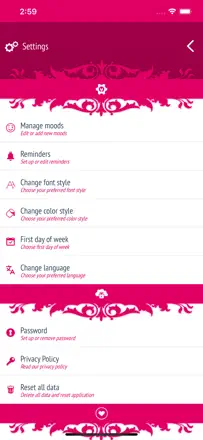
Points forts : The pink-and-diamond aesthetic appeals to the target audience.
Reproches : The lock that users download it for requires a paid subscription, despite ads promising it for free.
Pour qui : Difficult to recommend to anyone in its current form
Rang 90. Note des avis : 18 sur 100. Note sur l’App Store : 4,3★ · 12 455 notes
18sur 100
An anti-stress app with visual toys (slime, bubble wrap) that are almost all behind a paywall. Its real value for mood tracking or journaling is close to zero.
Points forts : Tactile mini-games like bubble wrap give an immediate, if superficial, relief effect.
Reproches : Almost no tools for journaling or mindful mood tracking.
Pour qui : Children and teenagers who want a quick stress-relief toy rather than a diary
Rang 91. Note des avis : 18 sur 100. Note sur l’App Store : 4,6★ · 6 504 notes
18sur 100
Memos is trapped behind a paywall on launch: users cannot close the payment screen and get into the app, iCloud sync breaks with schema errors, and data disappears even for paying subscribers. The product in its current state is non-functional.
Points forts : In theory the app offers a media diary with photos and templates, which draws users in from the store screenshots.
Reproches : The paywall screen on first launch effectively blocks access to the app even for those who tap "continue without subscription."
Pour qui : Difficult to recommend to anyone in the current state
Rang 92. Note des avis : 18 sur 100. Note sur l’App Store : 4,3★ · 1 335 notes
18sur 100
A basic diary with glitter design where written text disappears, there is no iCloud backup, and ads cut into any entry. Functionality does not go beyond a blank page with a password.
Points forts : Users value the visual aesthetic and the ability to keep personal entries.
Reproches : Text disappears on exit and there is no cloud saving.
Pour qui : Children for whom "sparkles" matters more than "saves"
Rang 93. Note des avis : 14 sur 100. Note sur l’App Store : 4,9★ · 6 008 notes
14sur 100
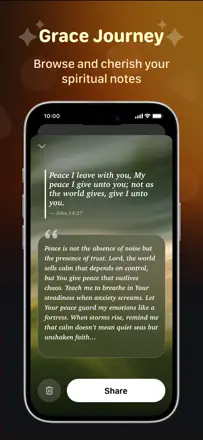
GraceNotes is positioned as a gratitude journal, but the real user experience is a stream of forced ads that prevent reaching any journaling feature. Substantive reviews about diary tools are almost nonexistent.
Points forts : The idea of a daily gratitude practice with a religious context finds an audience among people seeking spiritual reflection.
Reproches : Forced ads after every action make keeping a diary impossible without the paid version.
Pour qui : Unclear audience due to a mismatch between positioning and the app's actual content
Rang 94. Note des avis : 4 sur 100. Note sur l’App Store : 4,6★ · 67 785 notes
4sur 100
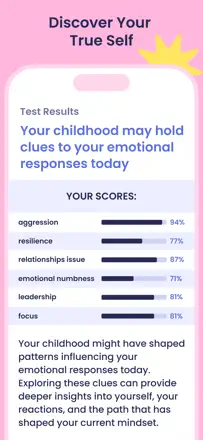
Breeze is a dark pattern wrapped in a mental health app: aggressive ads, a quiz with paid results, and hidden recurring charges after canceling a subscription. There is almost no real product for journaling or mood tracking.
Points forts : A few breathing exercise mini-games are described as nice by the handful of people who actually got into the app.
Reproches : The business model is built on hidden recurring charges and making it impossible to cancel a subscription through standard App Store settings.
Pour qui : Nobody; the app's financial scheme makes it dangerous for users
Rang 95. Note des avis : 0 sur 100. Note sur l’App Store : 4,6★ · 992 notes
0sur 100
This is a local newspaper news app from Mississippi and has nothing to do with journaling or mood tracking.
Points forts : Readers value access to obituaries and local news.
Reproches : Constant freezing when reading obituaries makes the app nearly unusable.
Pour qui : Residents of northeastern Mississippi
À propos des chiffres
Deux chiffres — deux sources
Elles aident à comparer les apps, mais ne remplacent pas la vérification de ta propre tâche.
Score des avis · jusqu’à 100
Le score conservé de l’étude inApp sur les textes des avis. Il évalue l’ensemble de l’app dans l’archive, pas la fiabilité d’une fonction précise.
Note de la boutique · jusqu’à 5
La note de la page de l’app au moment de la collecte. La note et la version actuelles peuvent différer.
Dans l’échantillon archivé de ce sujet : 95 apps et 29 328 avis lus. C’est le volume total de l’étude, pas le nombre d’avis par app.
Un écart entre les chiffres ne prouve pas de manipulation. La date de calcul et la méthode complète du score ne sont pas dans l’archive mobile. Compare les descriptions des tâches et les citations sources, et vérifie les conditions dans la version actuelle.