Review score: 78 out of 100. App Store rating: 4.9★ · 1,906 ratings
78of 100
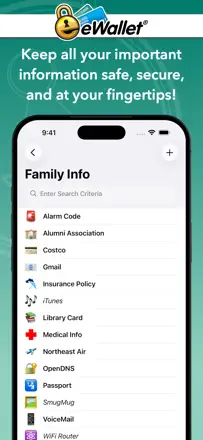
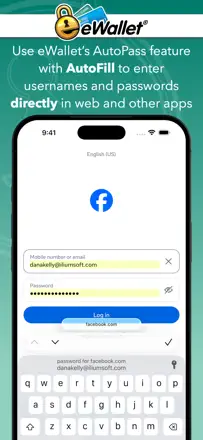
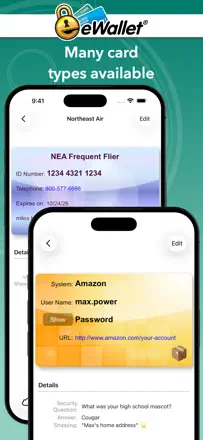
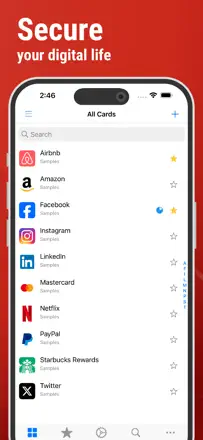
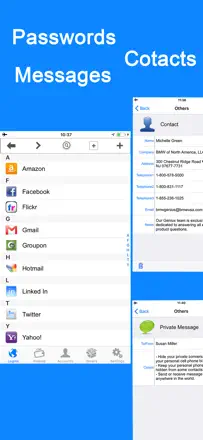
A reliable offline password manager with cross-platform sync via cloud storage. The main weakness is no iCloud support, and occasional sync failures can lead to data loss.
Praised
Simplicity and stability over many years, simultaneous support for Android and iOS, encryption via Google Drive and Dropbox, easy transfer when switching phones.
Complaints
No iCloud sync, periodic Google Drive errors (404), after iOS updates it sometimes locks access with no way to reset the master password, some users dislike the interface refresh.
Best for: Users who want a simple, affordable password manager without a subscription and with sync between Android and iPhone.
Review score: 72 out of 100. App Store rating: 4.7★ · 4,053 ratings
72of 100
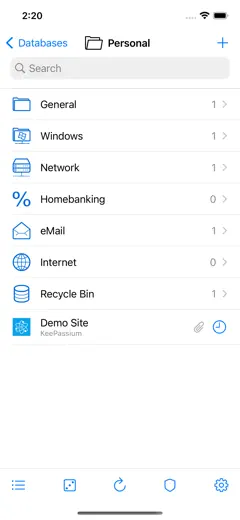
A KeePass-compatible password manager with an open database format, Wi-Fi sync, and security key support. Quality declined after a change of ownership: previously hidden bugs have become more frequent, and upgrade prompts now chase even Pro users.
Praised
Open KeePass format (no lock-in), solid iCloud sync, Yubikey and passkeys support, autofill, export to standard formats, lifetime license.
Complaints
Quality has slipped since the app changed hands: crashes on database open, upgrade pop-ups for Pro users, passkeys issues (crashes on save), cross-platform purchases don't sync across devices.
Best for: Technically savvy Apple users who want an open database format and prefer not to rely on a cloud service.
Review score: 72 out of 100. App Store rating: 4.7★ · 1,374 ratings
72of 100
The best choice for storing passwords offline in KeePass format. Its strength is full privacy with no cloud server required, its weakness is unreliable autofill and iCloud sync issues.
Praised
Fully offline with no data shared with third parties. Passkeys and TOTP support. Independent security audit by Cure53. Actively maintained. Fast import.
Complaints
Autofill is unreliable and sometimes fails in banking apps. Issues with iCloud Drive after iOS updates. Occasional hangs when loading the database. No native Android or Windows clients.
Best for: Technical users who already use KeePass and want to keep their data on-device only.
Rank 4. Review score: 71 out of 100. App Store rating: 4.8★ · 103,519 ratings
71of 100
A mature cross-platform password manager with a real long-term user base. Strong point is reliable sync and a solid password generator. The main complaint is an aggressive paywall and problems when the free plan was dropped.
Praised: Sync across all devices, strong password generator, family plan with shared access, autofill works consistently.
Complaints: Holds passwords hostage on non-payment, unclear login flow for existing accounts, transferring to a new device can be tricky, passwords disappear after reconnection, browser extension may be blocked by corporate policies.
Best for: Users willing to pay for a cross-platform manager with a convenient family plan.
Rank 5. Review score: 71 out of 100. App Store rating: 4.8★ · 2,673 ratings
71of 100
A market veteran with a twenty-year track record: stable, simple, no subscription. The main pain point is that sync between devices is unreliable, especially without a desktop in the mix.
Praised: Decades of reliable operation, support helps with data migration, works across platforms (Mac, PC, iPhone), no subscription, straightforward interface.
Complaints: Sync without a PC doesn't work or is unreliable, no automatic cloud backup, can't enlarge password text, no image storage within entries, OneDrive integration is broken.
Best for: Apple ecosystem users with a PC who want reliable storage without a subscription and don't need modern features like passkeys.
Rank 6. Review score: 69 out of 100. App Store rating: 4.9★ · 2,339 ratings
69of 100
A time-tested manager with good sync via your own cloud account, but it suffers from passwords disappearing after updates and aggressive new paid tiers appearing after each update.
Praised: Works across multiple browsers and devices, free basic tier, stores data in a user-chosen cloud (not the company's servers), regular updates.
Complaints: Passwords disappear after updates without warning, sync between devices is unreliable, the company repeatedly introduces new paid tiers on top of already-purchased licenses, problems on Windows 11, family sharing is hard to set up.
Best for: Users with a single device or a small number of passwords who want to store data in their own cloud without a subscription.
Rank 7. Review score: 67 out of 100. App Store rating: 4.7★ · 28,721 ratings
67of 100
The best free open-source password manager for the price-to-features ratio, but recent updates introduced serious bugs: the master password sometimes refuses to work, TOTP behind a paywall feels greedy, and cross-device sync is slow.
Praised: Completely free with no ads, open-source, works on all platforms, no upsell pressure.
Complaints: Master password periodically fails for no apparent reason, TOTP is paid-only, slow sync, a bug shows phantom TOTP codes on entries that don't have one.
Best for: Technically minded users who want a solid free manager and can tolerate occasional bugs.
Rank 8. Review score: 67 out of 100. App Store rating: 4.7★ · 5,110 ratings
67of 100
A mature PasswordSafe-format manager with cross-platform support and a responsive developer, but switching to a new iPhone repeatedly breaks database access unacceptable for a password storage tool.
Praised: PasswordSafe format ensures compatibility with Windows and Mac, developer responds to bug reports and ships updates, Dropbox and iCloud sync, users have run the app for more than 10 years.
Complaints: Switching to a new iPhone has caused database loss for multiple users, cloud backup is pushed with aggressive notifications, local iOS-to-desktop sync is inconvenient, the UI is dated, some versions confused users with duplicate database copies.
Best for: Experienced users who need PasswordSafe-compatible format and cross-platform access, and who are prepared to keep a separate backup of their database.
Rank 9. Review score: 67 out of 100. App Store rating: 4.8★ · 3,896 ratings
67of 100
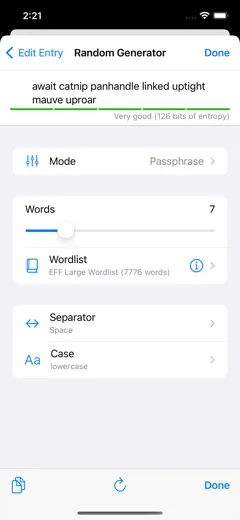
A password generation utility from a Germany-based developer with EU-compliant privacy practices. Works well as a companion to a primary password manager, but has a bug: it generates passwords longer than the requested character count.
Praised: Works reliably for years, EU-standard privacy policy, developer responds to support requests, no data collection, the core password-generation function does its job.
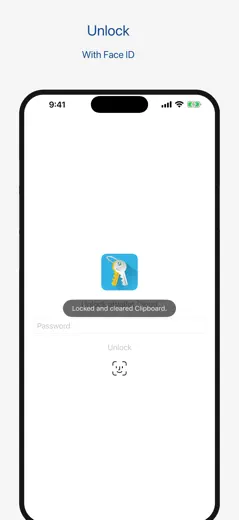
Complaints: Generates passwords longer than the specified length, doesn't honor all selected criteria for short passwords, no cloud backup, annoying review-request pop-ups, Face ID enters an infinite loop after updates.
Best for: Users who need a simple password generator without data sharing, as a companion to a primary vault.
Rank 10. Review score: 67 out of 100. App Store rating: 4.8★ · 2,625 ratings
67of 100
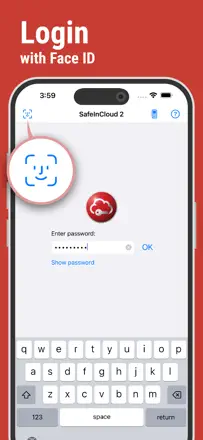
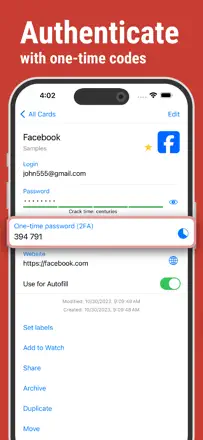
SafeInCloud under a new name: a proven manager with cross-platform cloud sync, but recent updates broke familiar interface elements and frustrated long-time users.
Praised: In use for over 10 years by many users, passkeys support, sync via Google Drive and iCloud, works on Android and iOS, solid support.
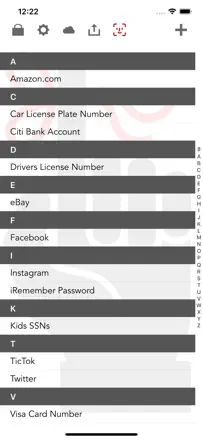
Complaints: Removed the alphabetical scroll index, an aggressive Premium purchase banner on every launch, passkeys don't work on Mac or in browser extensions, licensing issues when switching platforms, crashes after the latest update.
Best for: Android and iPhone users who want a reliable cross-platform manager without a third-party cloud subscription.
Rank 11. Review score: 67 out of 100. App Store rating: 4.7★ · 1,500 ratings
67of 100
One of the few password managers that offer local Wi-Fi sync with no cloud involved. Good for privacy-conscious users, but autofill is buggy, there's no password generator, and no 2FA support.
Praised: Offline sync over local network with no cloud data transfer, lifetime license at a fair price, cross-platform (Windows, iOS, Android), stable for long-term users.
Complaints: No built-in password generator at the point of entry creation, no 2FA support, autofill sometimes fills in the old password when you change it, Mac import is problematic, installs Rosetta without warning.
Best for: Users who fundamentally don't want passwords in the cloud and are willing to sync over their home network.
Rank 12. Review score: 66 out of 100. App Store rating: 4.9★ · 227,320 ratings
66of 100
A full-featured password manager with a long history and a real base of loyal users, but with annual price hikes and a migration path designed to be painful.
Praised: Secure storage with notes and attachments, cross-platform sync, long-term users praise stability and support.
Complaints: Price has climbed to $42 $91 per year and keeps rising, migration is intentionally difficult, an 'optimization' step on every launch freezes the app for minutes, can't cancel a subscription from within the app.
Best for: Users willing to pay a premium price who don't plan on switching.
Rank 13. Review score: 63 out of 100. App Store rating: 4.8★ · 6,765 ratings
63of 100
A serious password manager from the Proton team with a strong privacy reputation, but the iOS client is unstable: autofill works intermittently and Face ID can get stuck in a loop.
Complaints: Autofill crashes or fails in Safari and Firefox Mobile, Face ID loops after updates, no passkeys on macOS, can't import Safari passwords on iOS without a desktop browser, every new entry triggers a review prompt.
Best for: Users already in the Proton ecosystem who care about privacy and email aliases and can tolerate rough edges in the iOS client.
Rank 14. Review score: 63 out of 100. App Store rating: 4.8★ · 4,355 ratings
63of 100
A mature offline password manager with a loyal user base that has stuck around for years. The main pain point: migrating from version 5 to version 6 broke backups, and support has effectively gone silent.
Praised: Rich entry fields, tags and folders, Wi-Fi import and export, many template formats, works without cloud storage.
Complaints: Backups are incompatible between versions 5 and 6, no export to standard formats (proprietary only), no developer support, freezes on iOS 18, no backup reminder.
Best for: Users who want an offline vault without cloud dependencies and with a flexible entry structure, and who accept the risk of data loss during updates.
Rank 15. Review score: 62 out of 100. App Store rating: 4.9★ · 2,170,690 ratings
62of 100
A corporate 2FA tool that just works until it doesn't. The biggest failure: transferring accounts to a new phone is nearly impossible, and push notifications are unreliable.
Praised: Years of stable operation with minimal fuss, quick login confirmation, a sense of security for corporate access.
Complaints: No real account transfer between devices, push notifications drop out and force manual code entry, frequent forced updates, no backup login method besides a phone number.
Best for: Corporate users whose company requires Duo and who have no choice.
Rank 16. Review score: 62 out of 100. App Store rating: 4.8★ · 2,295 ratings
62of 100
A veteran dating back to Palm Pilot days: strong AES-256 encryption, flexible storage, but version 5 broke sync for a significant number of users and the new sync key mechanism is confusing.
Praised: AES-256-CBC with HMAC-SHA512, 256,000 PBKDF2 rounds, no proprietary servers (data stays with the user), flexible entry structure including photos and documents, decades of reliable use.
Complaints: Sync broke after updating to version 5 for many users, the sync key mechanism is confusing and poorly documented, autofill performs poorly, no Face ID in the base version, no recovery if the master password is lost.
Best for: Technically savvy users who value local storage with military-grade encryption and aren't afraid to configure sync manually.
Rank 17. Review score: 61 out of 100. App Store rating: 4.5★ · 40,276 ratings
61of 100
A free password manager within the Norton ecosystem, stable enough for basic tasks, but no passkeys support, occasional connection drops, and constant upsell offers.
Praised: Free for basic use, easy to get started, reliably stores passwords for most sites.
Complaints: No passkeys support, unstable connection on mobile, intrusive survey pop-ups, autofill doesn't work on some sites.
Best for: Existing Norton subscribers who need a simple manager without extra cost.
Rank 18. Review score: 58 out of 100. App Store rating: 4.7★ · 47,629 ratings
58of 100
One of the oldest password managers on the market, strong on core features (storage, SafeNotes), but the UX is dated, autofill is unpredictable, and update 9.9.1 broke launch for some users.
Praised: Years of reliability for loyal users, note and form storage, cross-platform access.
Complaints: Autofill doesn't always trigger and doesn't offer to save an updated password, search settings don't persist, weak customer support, some users lost all their data.
Best for: Users with large archives of notes and forms who can accept an outdated UX.
Rank 19. Review score: 58 out of 100. App Store rating: 4.8★ · 3,484 ratings
58of 100
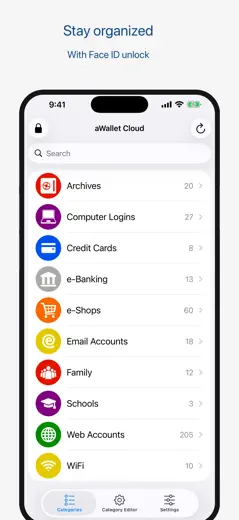
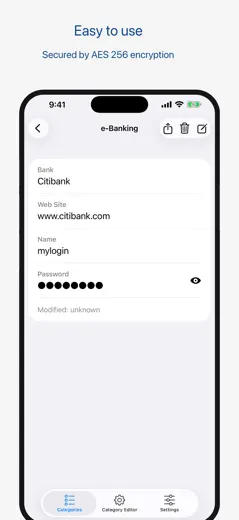
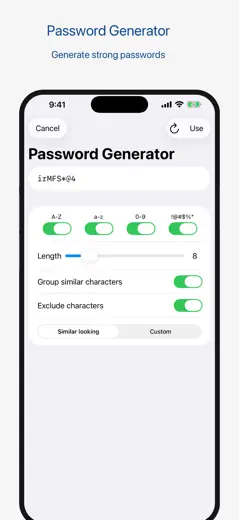
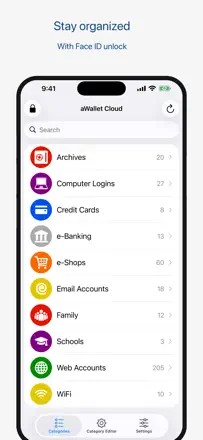
A cross-platform password manager with category support and Face ID that worked reliably for years. The problem: multiple waves of monetization changes stripped paid users of features they'd already paid for, without explanation.
Praised: Categories for organizing entries, Face ID (when it works), simple interface, good fit for older users, long-standing loyal user base.
Complaints: Touch ID unexpectedly moved behind a paywall for users who had already paid, Android purchases don't carry over to iOS, CSV import only works through an iTunes directory, no master password reset.
Best for: iOS users who want a simple categorized vault and can accept inconsistent monetization.
Rank 20. Review score: 56 out of 100. App Store rating: 4.6★ · 6,462 ratings
56of 100
An old local password manager with no cloud and a devoted following, but search crashes the app, backup is broken, and the developer doesn't respond to support requests.
Praised: Works locally without cloud, simple and fast, long-term users are satisfied with everyday stability, convenient entry organization.
Complaints: Search crashes the app, Wi-Fi backup and restore don't work, no export to standard formats (CSV, XLS), developer ignores inquiries, support email is no longer functional, hard to sync between devices.
Best for: Users who need an offline password manager without a subscription and don't expect technical support.
Rank 21. Review score: 55 out of 100. App Store rating: 4.9★ · 1,125,288 ratings
55of 100
A minimalist 2FA authenticator that works fine until you change your phone. Losing all codes when switching devices without manual transfer is a systemic problem known to every long-time user.
Praised: No ads or bloat, Google account sync now helps when transferring, simple interface.
Complaints: Before cloud sync was added, migration was a disaster, codes occasionally vanish, no way to organize entries into folders or rename them, the QR camera doesn't work for some users.
Best for: Google ecosystem users who want basic TOTP with no extras.
Rank 22. Review score: 52 out of 100. App Store rating: 4.7★ · 747,967 ratings
52of 100
Apple's built-in password manager that works invisibly for most users, but regularly loses passwords after iOS updates and handles import and export poorly.
Praised: Zero setup on Apple devices, iCloud sync, notifications for compromised passwords, family plan sharing.
Complaints: Passwords disappear after OS updates, no proper export, weak support for non-Apple platforms, QR login is unreliable, autofill doesn't work everywhere.
Best for: Users who live entirely in the Apple ecosystem and don't need cross-platform support.
Rank 23. Review score: 52 out of 100. App Store rating: 4.8★ · 50,628 ratings
52of 100
A mature password manager with a long track record that has badly degraded in recent versions: forced upgrade ads for paying users, Face ID moved behind a paywall, Dropbox sync crashes the app.
Praised: Reliably stores data over years, simple interface for basic tasks, ability to attach photos to entries.
Complaints: Face ID is paid-only, aggressive upgrade banners even for subscribers, crashes during Dropbox sync, losing the QR recovery code locks users out of their vault entirely.
Best for: Long-time users who don't need biometrics and can tolerate aggressive marketing.
Rank 24. Review score: 52 out of 100. App Store rating: 4.7★ · 12,355 ratings
52of 100
A recognizable password manager from Nord that works as a vault, but with irritating systemic issues: it constantly asks for the master password, autofill is inconsistent across sites, the Safari extension was removed without notice, and importing passwords from iPhone is not supported.
Praised: Strong encryption, cross-platform support, a wide range of supported data types, relatively clear interface.
Rank 25. Review score: 52 out of 100. App Store rating: 4.8★ · 4,121 ratings
52of 100
A functional password manager with sync and support that actually responds. The main problem: repeated subscription price hikes of 33 100% in a single year pushed many loyal users to leave.
Praised: Good support (the director personally responded to bugs), many categories, years of reliability for some users, Syncryption backups.
Complaints: Recurring price increases of 33 100%, data loss during updates, freezes during alphabetical navigation, bugs after recent updates, the app switched to Spanish with no way to change the language.
Best for: Users who need sync and live support, and are willing to revisit their subscription regularly.
Rank 26. Review score: 52 out of 100. App Store rating: 4.7★ · 1,566 ratings
52of 100
A simple standalone password manager with a clean design, but the lack of cross-device sync is a critical failure for a product of this type.
Praised: Intuitive interface, a sense of security from local storage, developer is personally reachable (Robert responds to questions), reasonable PRO pricing.
Complaints: No real cross-device sync, switching from Android to iOS or changing phones results in data loss, no fingerprint authentication in the base version, license doesn't transfer between platforms, support is slow to respond.
Best for: Single-device users who want an isolated offline password vault with no cloud.
Rank 27. Review score: 52 out of 100. App Store rating: 4.3★ · 1,297 ratings
52of 100
A solid concept with user-owned encrypted storage, but the product is degrading due to intrusive features and reputational damage from changing terms without notice.
Praised: User owns the vault and chooses where to store it (iCloud, Dropbox, etc.). Works on all platforms. Passkeys and TOTP support. Good value at the lifetime price.
Complaints: Forced master password entry on a timer that can't be disabled even in settings. Sync regularly breaks (iPad and Mac). The app forgets a purchased subscription and shows ads. Users report data being transferred to Apple Passwords without consent.
Best for: Users who want to own their vault and not depend on a provider's cloud, and who can tolerate technical rough edges.
Rank 28. Review score: 52 out of 100. App Store rating: 4.7★ · 869 ratings
52of 100
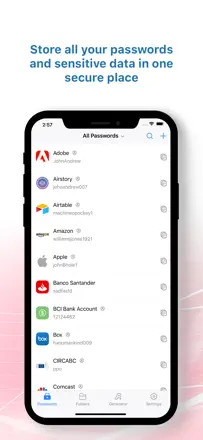
A corporate password manager from Zoho with a solid web version and Chrome extension, but the iOS app crashes regularly and loses sessions. Acceptable for team use via browser.
Praised: Free tier for personal use, good scalability for teams, convenient web version and Chrome extension, centralized password management.
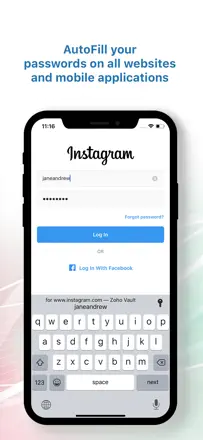
Complaints: App freezes and crashes on iOS 16 and iOS 13 Pro, constantly prompts for master password re-entry, Safari autofill doesn't work, support brushes off problems.
Best for: Small teams and enterprise users who work through a browser not for reliable daily use on iPhone.
Rank 29. Review score: 45 out of 100. App Store rating: 4.6★ · 19,969 ratings
45of 100
Once the gold standard of password managers, now with aggressive monetization: forced subscription instead of a one-time license, regular price increases, UX regressions (removed search, complicated navigation), and support that takes days to respond.
Praised: Good cross-platform coverage for long-time users, solid encryption, Travel Mode.
Complaints: Price jumped from $30 to $75 for the family plan, quick search was removed from the home screen, support responds in days or weeks, accounts can be frozen without explanation and there's no phone support.
Best for: Corporate teams with an IT budget individual users will get the same from Bitwarden or Apple Passwords for free.
Rank 30. Review score: 45 out of 100. App Store rating: 4.3★ · 803 ratings
45of 100
A simple offline password manager with a long-term audience, but a critical problem: data disappears when switching devices or after iOS updates, and support is practically unreachable.
Praised: Simple, intuitive interface, works without internet, Dropbox and Wi-Fi sync support, loyal users have relied on it for years.
Complaints: Data is lost when switching devices or after iOS updates with no way to recover it, Face ID can permanently block access, no search across entries, support goes silent on inquiries.
Best for: Users who have maintained a long-running database and don't switch devices for new users the risk of total data loss is too high.
Rank 31. Review score: 44 out of 100. App Store rating: 4.4★ · 57,017 ratings
44of 100
Once a respectable password manager, now disappointing its user base after restricting the free plan to a single device type and letting support quality slide. Loyal users are migrating to Bitwarden.
Praised: Organized storage, convenient to have all passwords in one place, autofill works for most sites.
Complaints: No cross-platform access without a paid subscription, frequent random sign-outs, support is unreachable when MFA is locked, mobile interface is clunky, the app prompts to save a password that's already there.
Best for: Users who have already committed their data and are slow to migrate.
Rank 32. Review score: 44 out of 100. App Store rating: 4.7★ · 2,135 ratings
44of 100
Once a reliable password manager, now without updates for years: a systemic bug where changes don't save on the first attempt and complete developer silence make it risky for storing important credentials.
Praised: Works on Mac and iPhone, no subscription, Apple Watch support for quick password lookup, Wi-Fi sync, worked reliably for old users for years.
Complaints: Changes don't save on the first try and must be entered twice, the app hasn't been updated in 3 5 years, support doesn't respond to emails for months, no passkeys or modern security standards, sync is unreliable, data sometimes disappears.
Best for: No one who is adding new passwords now the product has effectively been abandoned by its developer.
Rank 33. Review score: 44 out of 100. App Store rating: 4.5★ · 1,647 ratings
44of 100
McAfee's password manager that has degraded: autofill stopped working, the app crashes, and sessions reset on their own. It used to be decent, but now it's outclassed by Apple's built-in options.
Praised: Multi-factor authentication, long-time users noted reliability, unlimited notes even on the free tier.
Complaints: Autofill doesn't work, the app crashes on login, it signs itself out before the set timeout, you can't change your email or master password, the free tier is capped at 15 passwords, no dark web monitoring or 2FA, the desktop version has been shut down.
Best for: Existing McAfee subscribers who get the manager bundled in. New users should look elsewhere.
Rank 34. Review score: 44 out of 100. App Store rating: 4.8★ · 935 ratings
44of 100
A simple offline password manager for non-technical users, hampered by chronic crashes, data loss, and unresponsive support.
Praised: Simple alphabetical organization. Works without cloud. Long-term users value reliability when it's working.
Complaints: The app periodically crashes and won't open, sometimes losing all saved passwords. No backup. Support doesn't respond to emails. No biometrics in older versions. Alphabetical sorting broke after an update.
Best for: Users who need the simplest possible password list with no autofill or cloud but only if the app is stable.
Rank 35. Review score: 41 out of 100. App Store rating: 4.8★ · 4,635 ratings
41of 100
A bare-bones offline password vault with a 10-entry limit on the free tier. The main problem: no export and no recovery, so forgetting the master password means losing everything.
Praised: Simple interface, works after a one-time payment without a subscription, Face ID support.
Complaints: The 10-password cap is hidden until after installation, no data export, no master password reset, one user reports password leaks, complaints about data loss on device changes.
Best for: Users with a very small number of passwords, willing to accept the risk of losing everything if they forget the master password.
Rank 36. Review score: 38 out of 100. App Store rating: 4.8★ · 11,135 ratings
38of 100
A 2FA authenticator exclusively for the Ubiquiti ecosystem not a general-purpose tool. Crashes on iOS while scrolling, total loss of all 2FA accounts when switching phones with no recovery path, unreliable Apple Watch authentication, and zero documentation.
Praised: Works with push notifications to confirm logins on Ubiquiti devices, Apple Watch integration in theory.
Complaints: Crashes while scrolling on current iOS versions, no account transfer when switching phones, Apple Watch doesn't confirm requests, no documentation, works only with Ubiquiti.
Best for: Ubiquiti equipment owners who don't hit the specific iOS compatibility issues. For everyone else, there's no reason to use it.
Rank 37. Review score: 38 out of 100. App Store rating: 4.7★ · 6,266 ratings
38of 100
A password manager with a long history of loyal users that is now in a degraded state: a Face ID loop, broken export, and unresponsive support make it a risky place to store credentials.
Praised: Simple interface, credit card storage alongside passwords, worked reliably for some users for years.
Complaints: Face ID loop blocks app entry (multiple reviews from 2024 2026), export and cross-device sync don't work, users lose all data after switching phones, the support email bounces, no password recovery.
Best for: Current users with a working version should back up their data immediately and move to another tool.
Rank 38. Review score: 38 out of 100. App Store rating: 4.7★ · 3,871 ratings
38of 100
A simple password vault that moved Face ID behind a paywall without warning, leaving long-time users without convenient login. That complaint accounts for about 60% of all reviews.
Praised: Simple interface, data persists after reinstallation for some users, straightforward navigation.
Complaints: Face ID and Touch ID moved to a paid tier without notifying existing users, no support when contacted, Pro status lost after updates, no way to transfer data without paying extra when switching phones.
Best for: Users with minimal requirements who are willing to enter their master password manually every time.
Rank 39. Review score: 38 out of 100. App Store rating: 4.7★ · 966 ratings
38of 100
A basic password vault with no advanced features: no real search, the lock password disables itself spontaneously, and the free tier is capped at 8 10 entries.
Praised: Long-term users report reliability for simple use. Transfers to a new phone.
Complaints: App lock password disables itself after a restart. Can't delete entries in some versions. Free tier is capped at 8 passwords with no prior notice. No alphabetical search. Small font.
Best for: Users with minimal requirements who need to store literally a handful of passwords and don't care about locking security.
Rank 40. Review score: 38 out of 100. App Store rating: 3.9★ · 796 ratings
38of 100
An abandoned app with no active maintenance: after iOS updates it regularly stops opening entries and loses data. Some users stay out of long habit, but continuing to use it is risky.
Praised: Simple, user-friendly interface for storing passwords, worked steadily for long-term users before recent iOS updates.
Complaints: After iOS updates the app stops working and won't open entries, data is lost with no recovery option, the developer appears to have stopped supporting the product, backups are incompatible between versions.
Best for: Not recommended for new installs the app is effectively abandoned and unreliable.
Rank 41. Review score: 34 out of 100. App Store rating: 4.8★ · 19,620 ratings
34of 100
A Swiss password manager with a long history that has been broken on mobile since 2024: Face ID doesn't work, every login redirects to a browser, subscriptions expire without warning. Legacy praise holds the store rating up, but the current user experience is unacceptable.
Praised: Worked reliably for years, web version is accessible, document storage is available.
Complaints: Face ID has been broken for over a year, every login goes through the browser, no expiration notice for subscriptions, support responds only with form letters.
Best for: Not recommended for anyone right now until the mobile app is fixed.
Rank 42. Review score: 33 out of 100. App Store rating: 4.6★ · 754 ratings
33of 100
Praised: Some users praise the easy initial setup and the presence of a secure photo vault.
Complaints: App crashes immediately after entering the password, forced video ads appeared after updates, no way to reset a forgotten master password, support doesn't respond, paid VIP version stops working.
Best for: Not recommended for anyone unreliability and absent support make it dangerous for storing passwords.
Rank 43. Review score: 32 out of 100. App Store rating: 4.6★ · 44,207 ratings
32of 100
An authenticator that's supposed to make login easier but in practice makes it harder: codes disappear, moving to a new phone requires simultaneous access to the old phone and a computer, and push authorization gets stuck in an endless loop.
Praised: Push notification on computer login is convenient, iCloud backup works for users who have it set up correctly.
Complaints: Loss of all codes without warning, extremely difficult migration between devices, the app gets stuck in an approval loop, Stage Manager broken on iPad.
Best for: Only single-device users with a working LastPass ecosystem everyone else should use Authy or a built-in authenticator.
Rank 44. Review score: 30 out of 100. App Store rating: 3.4★ · 1,026 ratings
30of 100
Once a popular password manager with a 20-year history, now in a state of decline: the app crashes, sync is broken, and support is silent.
Praised: Supports storing arbitrary data beyond passwords (PIN codes, combination locks). Some users value local sync without third-party cloud.
Complaints: App crashes on current versions of macOS and iOS. Sync doesn't work. Data is lost when moving between versions. No normal way to cancel a subscription through the interface. A complaint was upheld by the Better Business Bureau. No new features for several years.
Best for: Not recommended for anyone switching to a modern alternative is the better move.
Rank 45. Review score: 28 out of 100. App Store rating: 4.7★ · 33,044 ratings
28of 100
Zoho's MFA app that is convenient in theory for the Zoho ecosystem but in practice suffers from unreliable push notifications, a freezing interface, and a mandatory notification permission without which some features don't work.
Praised: Good integration with Zoho accounts, supports third-party OTP accounts.
Complaints: Push notifications don't arrive or arrive with a delay, authentication loop on phone and laptop, QR scanner freezes after an update, forced notification permission prompt.
Best for: Strictly Zoho users with no alternative everyone else should use Google Authenticator or Authy.
Rank 46. Review score: 28 out of 100. App Store rating: 4.5★ · 1,397 ratings
28of 100
A password generator without a real vault it paywalls viewing saved passwords. Review content is nearly empty and users are left confused by the app.
Praised: Simple interface is accessible to beginners, a few categories for storing data.
Complaints: Can't copy a password without a paid subscription. No Sign in with Apple. Interface is not intuitive. Users can't figure out how to use the app.
Best for: Not a good fit for almost anyone in its current state.
Rank 47. Review score: 22 out of 100. App Store rating: 4.7★ · 663,299 ratings
22of 100
Microsoft's corporate authenticator that systematically locks users out when they switch phones. The cycle of 'need a code to log in, need to log in to get a code' is documented in dozens of reviews.
Praised: Works steadily as long as you don't need to transfer your account to a new device, protects corporate Microsoft accounts.
Complaints: The authentication loop on phone changes makes access impossible, codes and notifications periodically fail to arrive, the approval interface is confusing (easy to mix up Deny and Approve), support is unreachable or offers paid assistance.
Best for: Corporate users whose IT department has issued Microsoft 365 and who have no choice.
About scores
Two scores — two sources
They help compare apps, but they don’t replace checking your own job.
Review score · up to 100
The stored score from inApp research on review texts. It rates the app overall in the archive, not the reliability of any one feature.
Store rating · up to 5
The rating from the app’s page when the data was collected. The current rating and version may differ.
In the archived sample for this topic: 47 apps and 11,524 reviews read. That is the total size of the research, not the number of reviews per app.
A gap between the scores doesn’t prove manipulation. The calculation date and the full scoring method aren’t in the mobile archive. Compare the job descriptions and the source quotes, and check the terms in the current version.